
Documentation
Web Automation
Guides for authoring, running and analysing tests across web automation, API and performance — plus setup, collaboration and release notes.
Step Groups
A Step Group is a reusable block of Web test steps and actions shared across multiple testcases in a project. Reference a group inside testcases instead of duplicating the same flow.
Step group vs regular step
| Regular step | Step group step | |
|---|---|---|
| Actions | On the step | Inside the group |
| Reuse | One testcase | Many testcases |
| Edit location | Testcase details | Step Groups menu or linked tab |
Why use step groups
- Reuse login, navigation, or common flows across many testcases.
- Update the group once; testcases that reference it use the updated steps after load/save.
- Keep testcase step lists shorter and easier to maintain.
Create a step group (standalone)
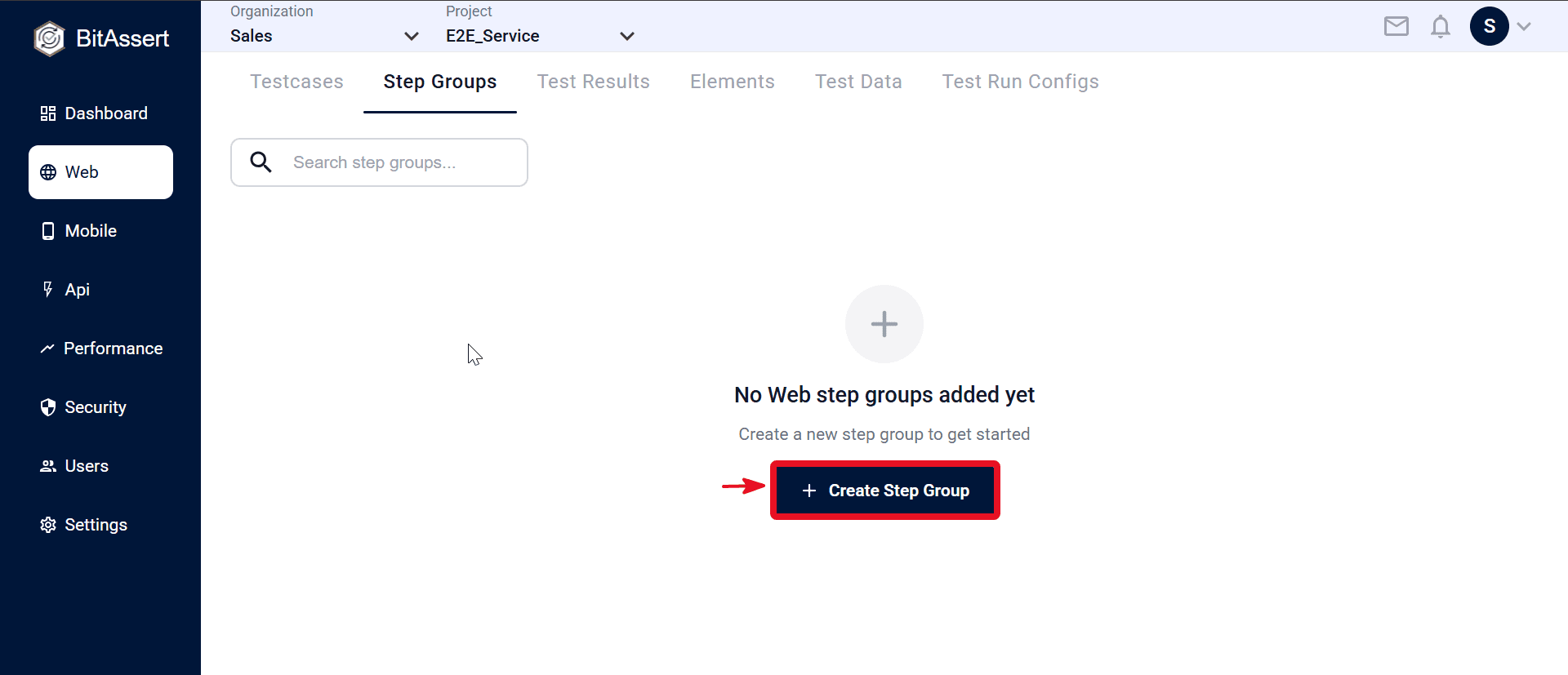
- Go to Web > Step Groups and click Create.
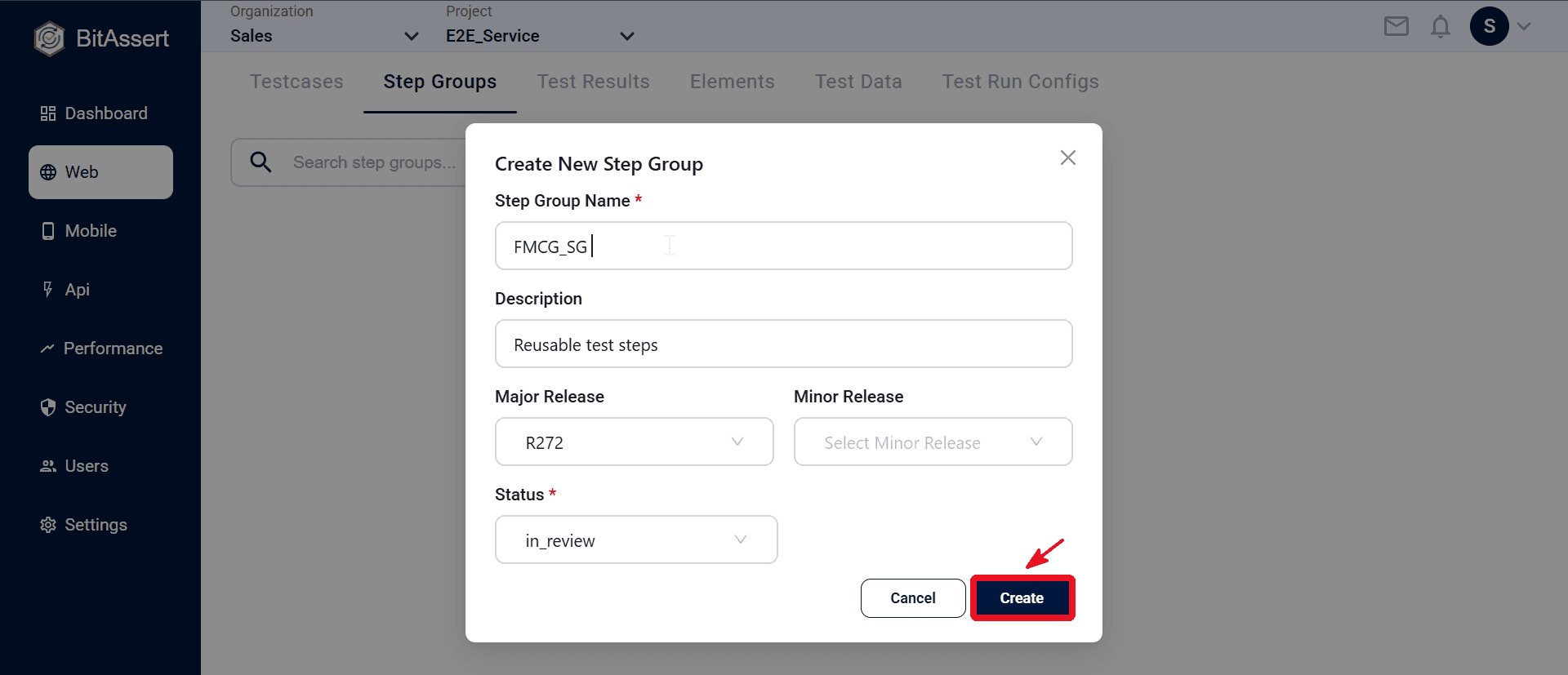
- In the modal, enter Name, Description, Major Release Status, and optional releases. click Create.
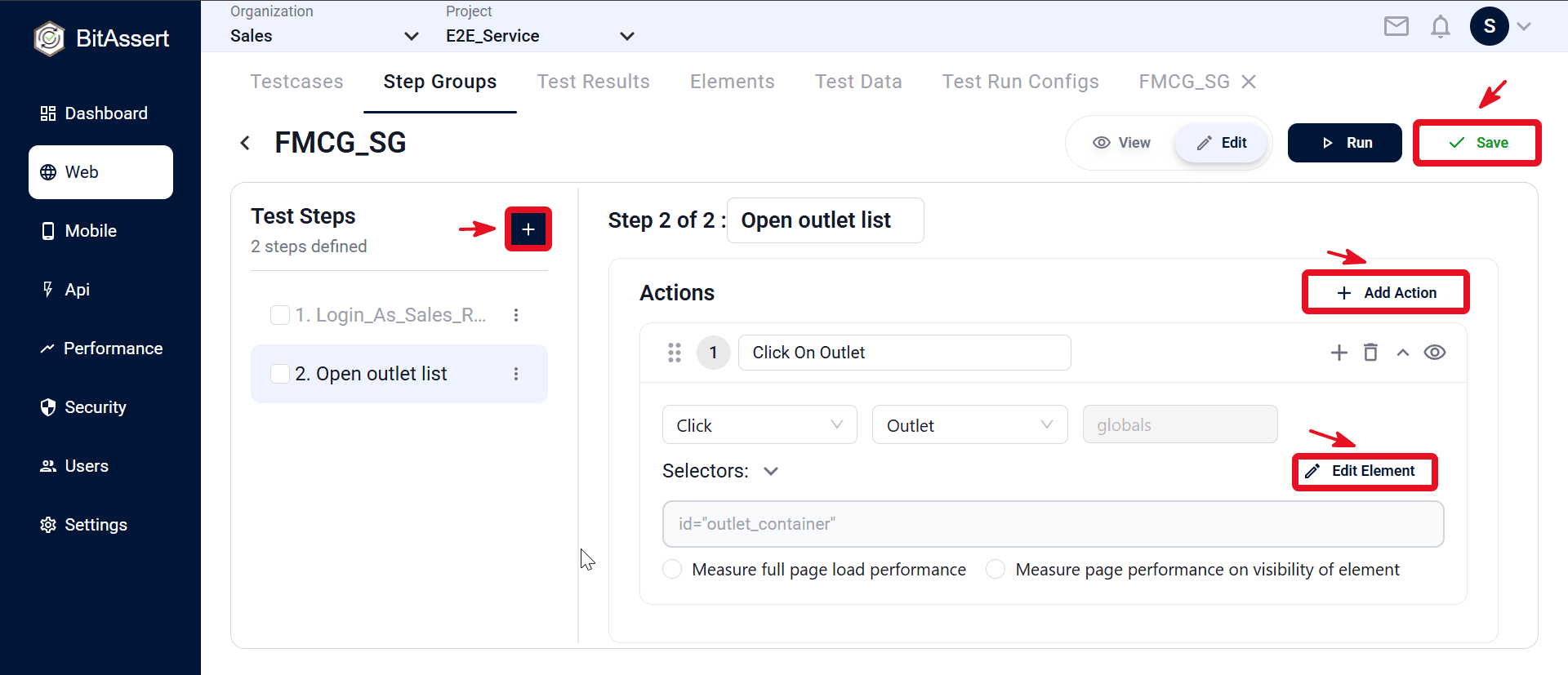
- Open the new step group (click View).
- Click + in Test Steps to add steps (for example Login_As_Sales_Representative, Open outlet list).
- Select a step → + Add Action → set type, element, and Edit Element if needed.
- Click Save.
Create from testcase steps
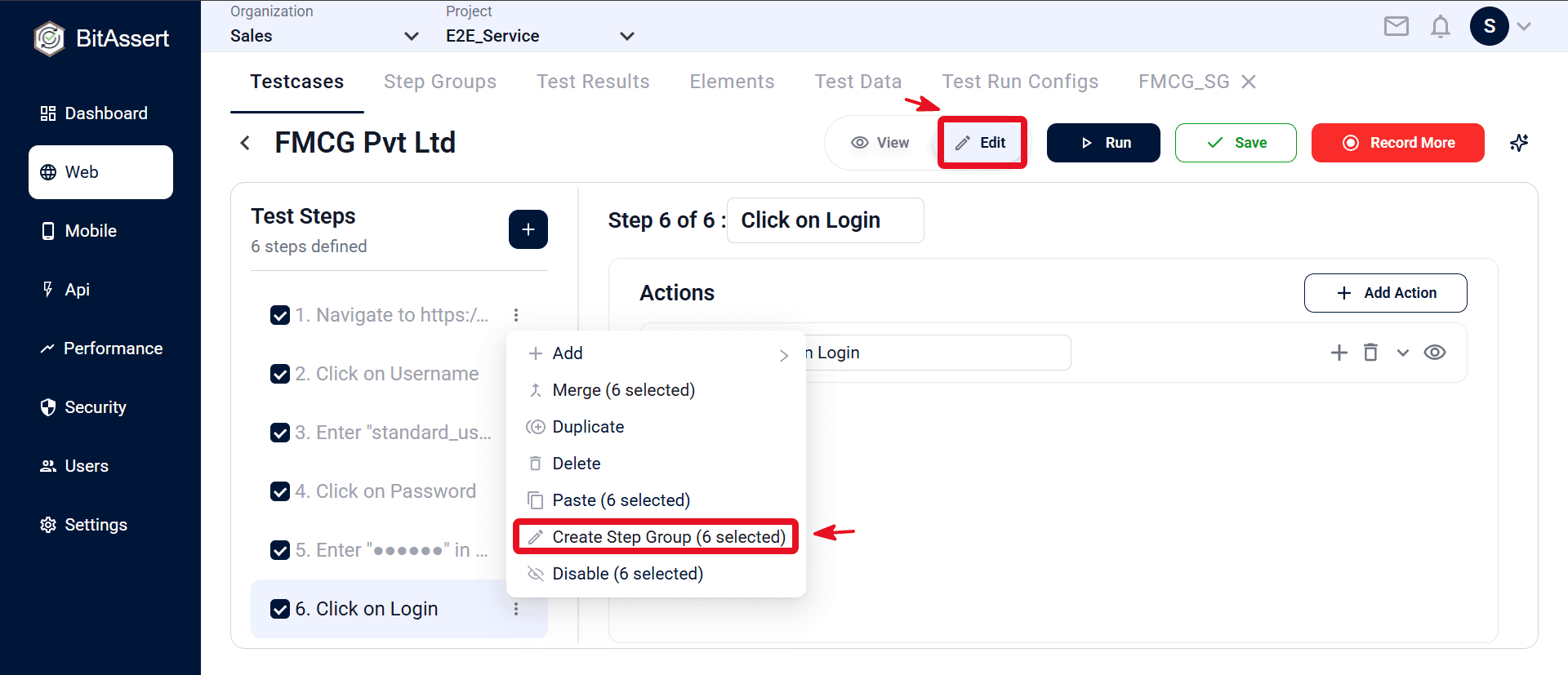
- Open a Web testcase in Edit and select two or more enabled steps (not another step group).
- In the Step menu, choose Create Step Group.
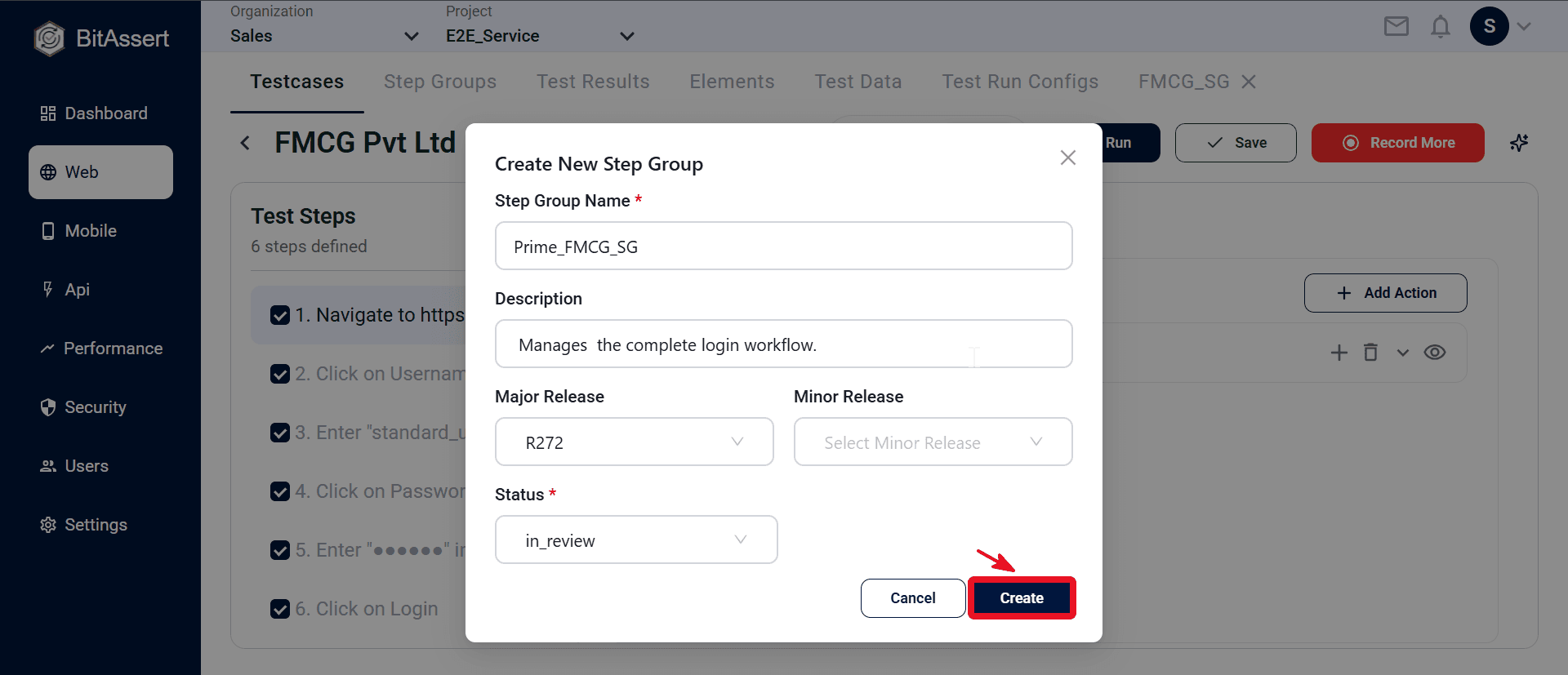
- In the Create New Step Group modal, enter Step Group Name (for example Prime_FMCG_SG), Description, Major Release, optional Minor Release, and Status (for example in_review), then click Create.
- The selected steps are saved as the new group and replaced by one step group reference in the testcase. Save the testcase if prompted.
Use a step group in a testcase
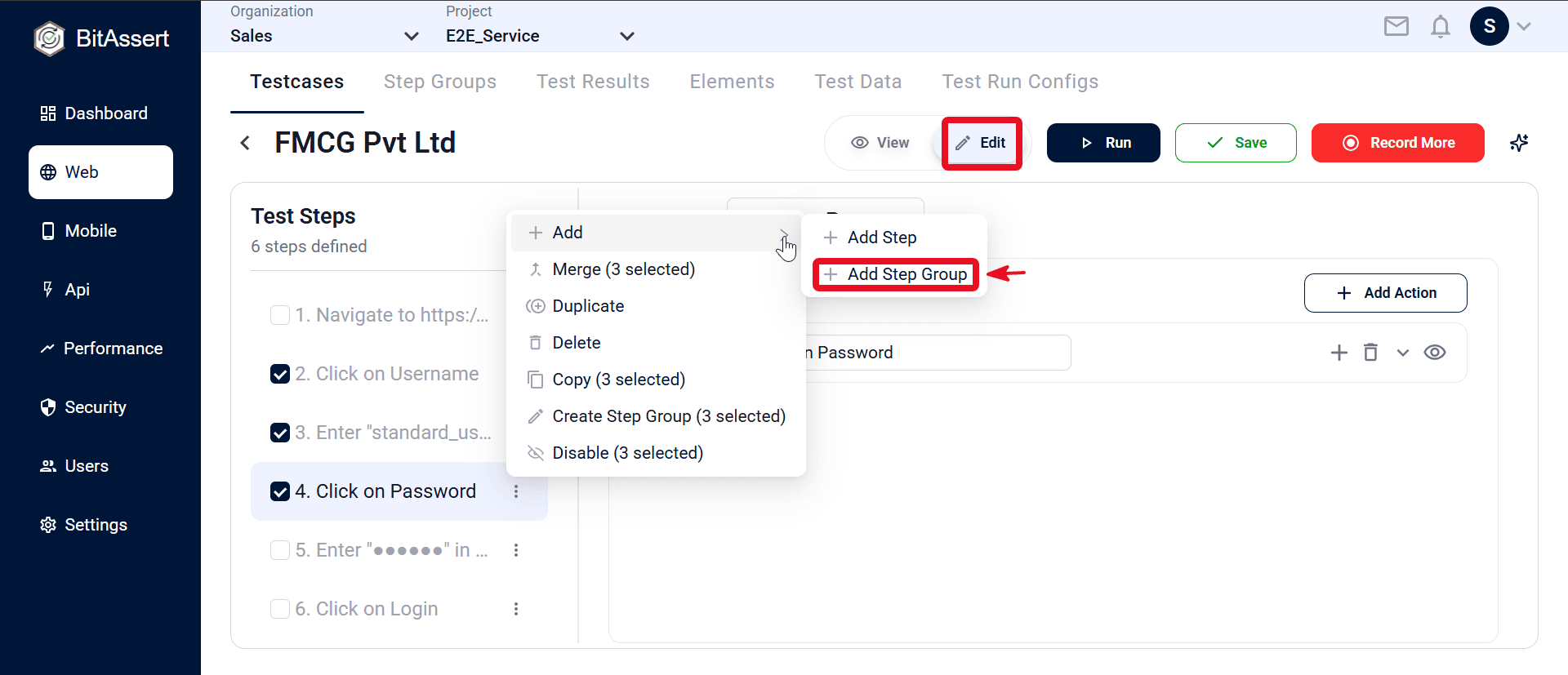
- Open testcase details → Edit.
- Step menu → Add Step Group (or Add → Add Step Group).
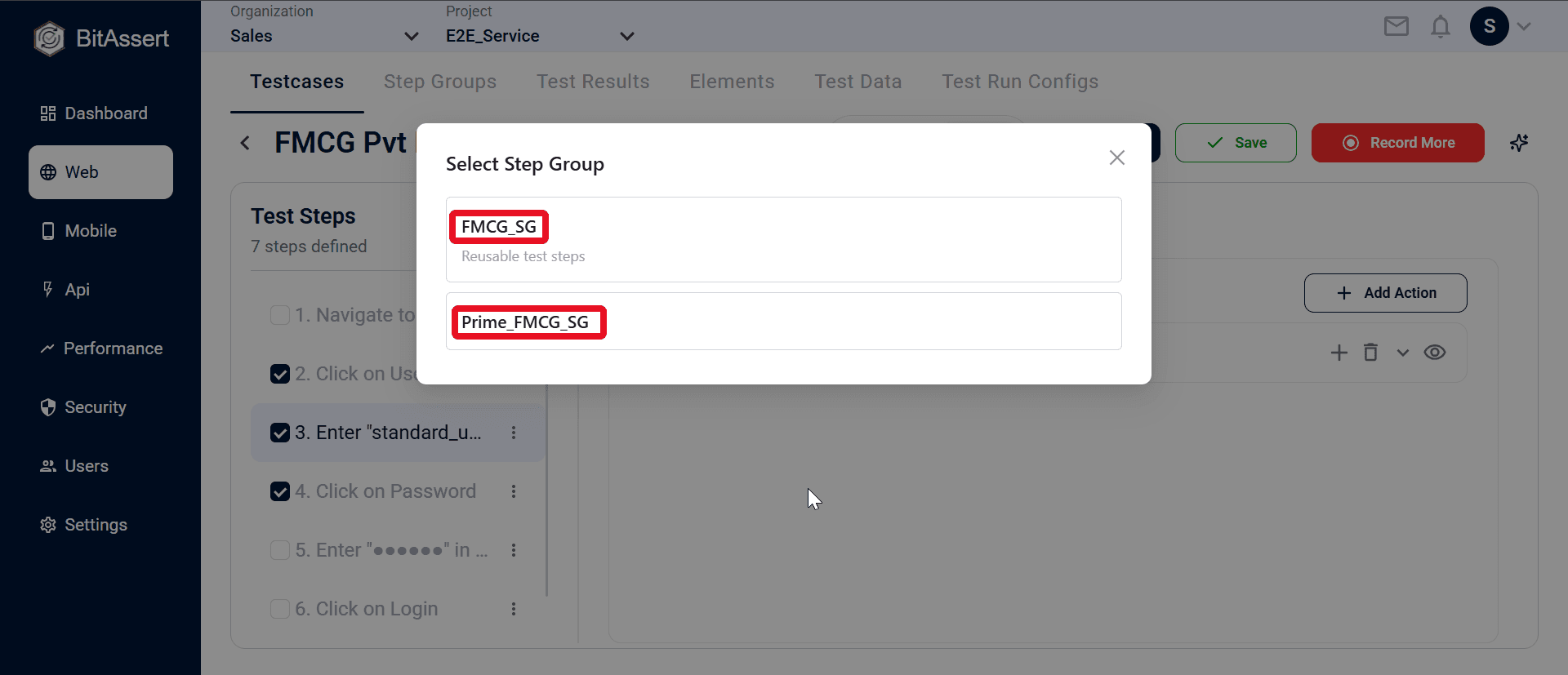
- Pick a group in the Select Step Group modal.
- A Step Group row is inserted (expandable in the Test Steps panel). Save the testcase.
Expected outcome
A reusable Step Group is stored in the project. Testcases reference it as one expandable step, and the group's inner steps run as part of the parent testcase flow.