
Documentation
Organization Management
Guides for authoring, running and analysing tests across web automation, API and performance — plus setup, collaboration and release notes.
Org-level navigation
Navigate and operate organization-scoped collaboration areas by selecting the correct organization context and accessing team membership views, so active users, pending invites, and org-level access governance can be managed centrally.
Prerequisites
Before you begin, refer to:
Steps
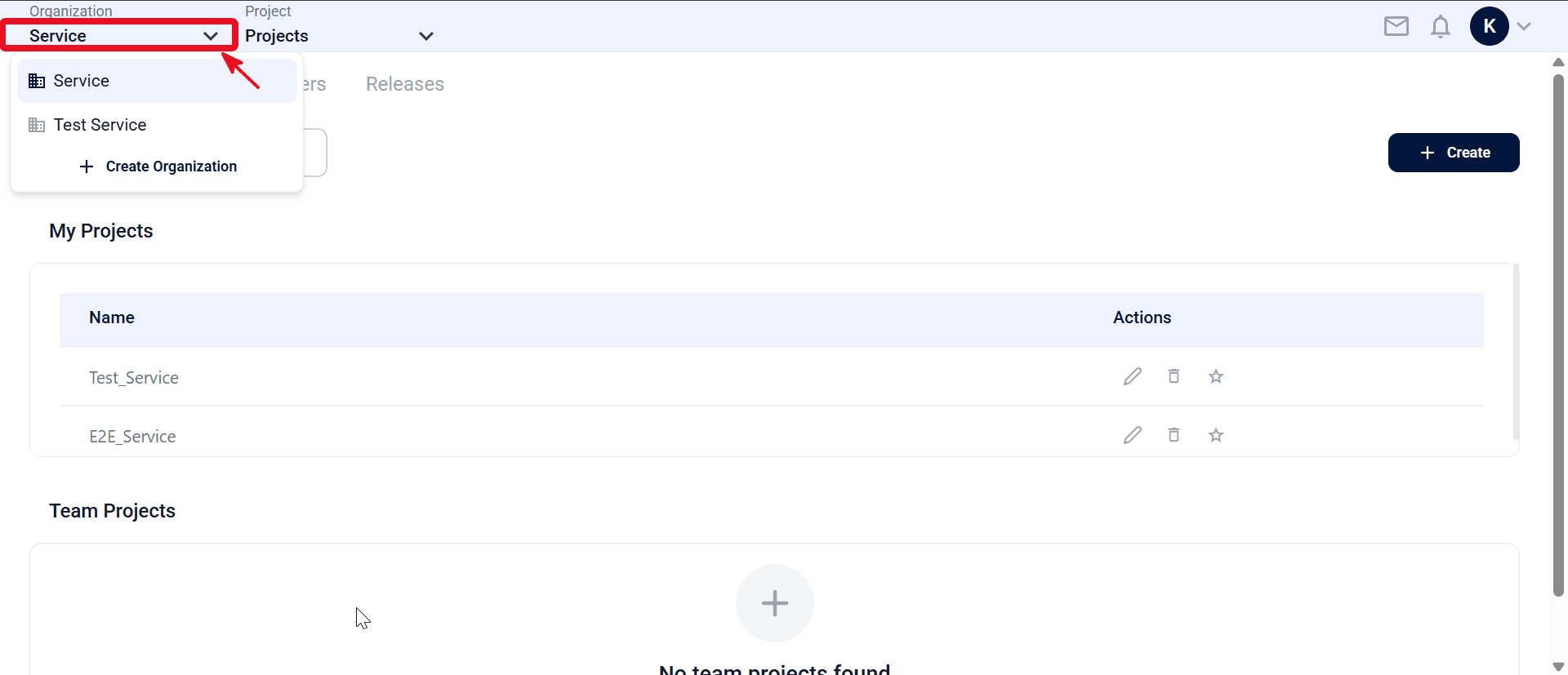
- From the top navigation bar, open the Organization dropdown and select the target organization.
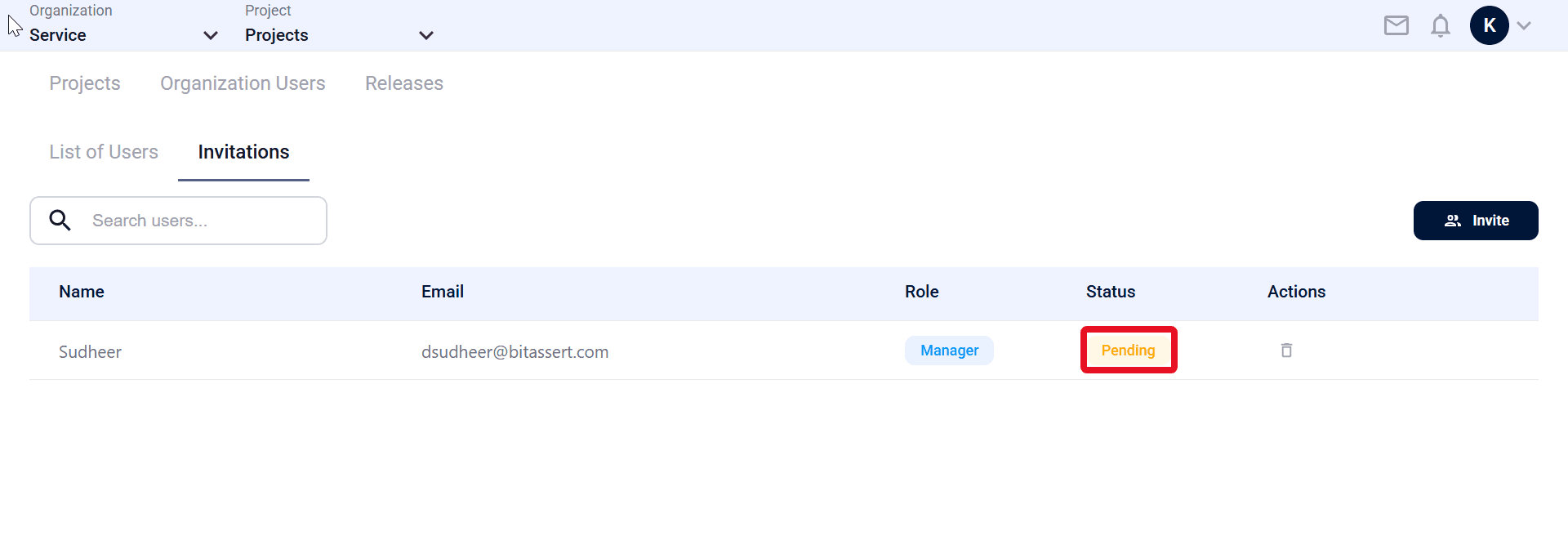
- Manage membership using Invitations (pending) and List of Users (active).
Expected outcome
You can navigate org-level user and invite management screens.