
Documentation
Collaboration & Access
Guides for authoring, running and analysing tests across web automation, API and performance — plus setup, collaboration and release notes.
Invite team members (org/project)
Invite team members to your organization and projects, and assign each member a role and access level. The number of members you can add depends on your subscription plan. This section explains how to invite team members in Bitassert.
Prerequisites
Before you begin, ensure that you have referred to:
- — to check how many members you can add to your organization and projects on your subscription plan.
Steps to Invite Team Members
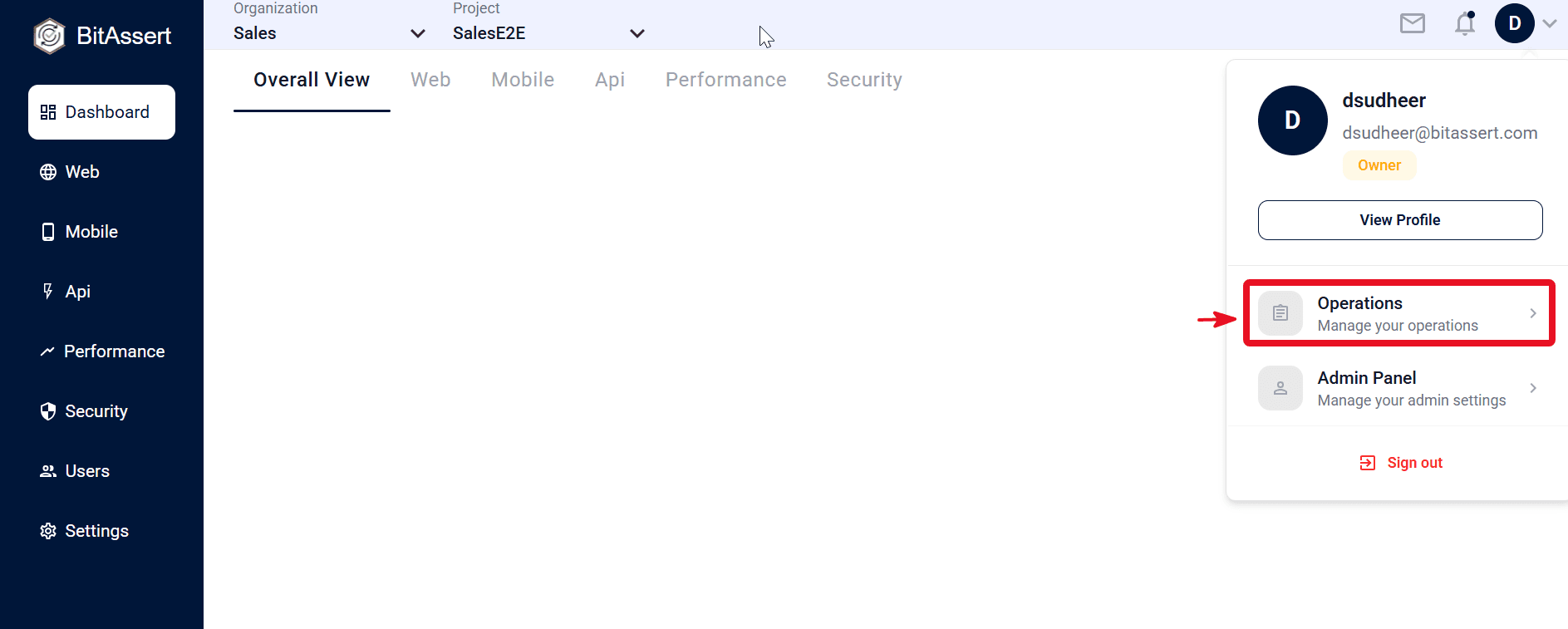
- Click on Operations
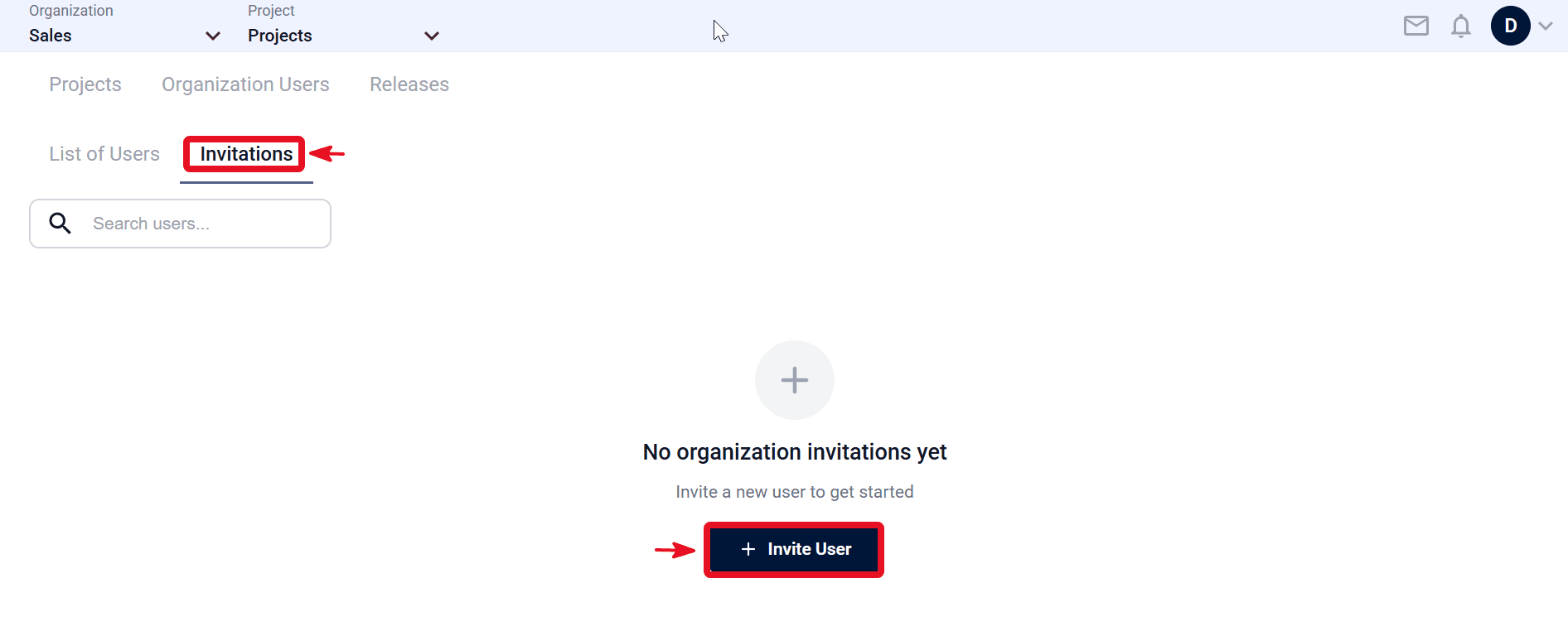
- Go to Organization Users, open Invitations, and click Invite User.
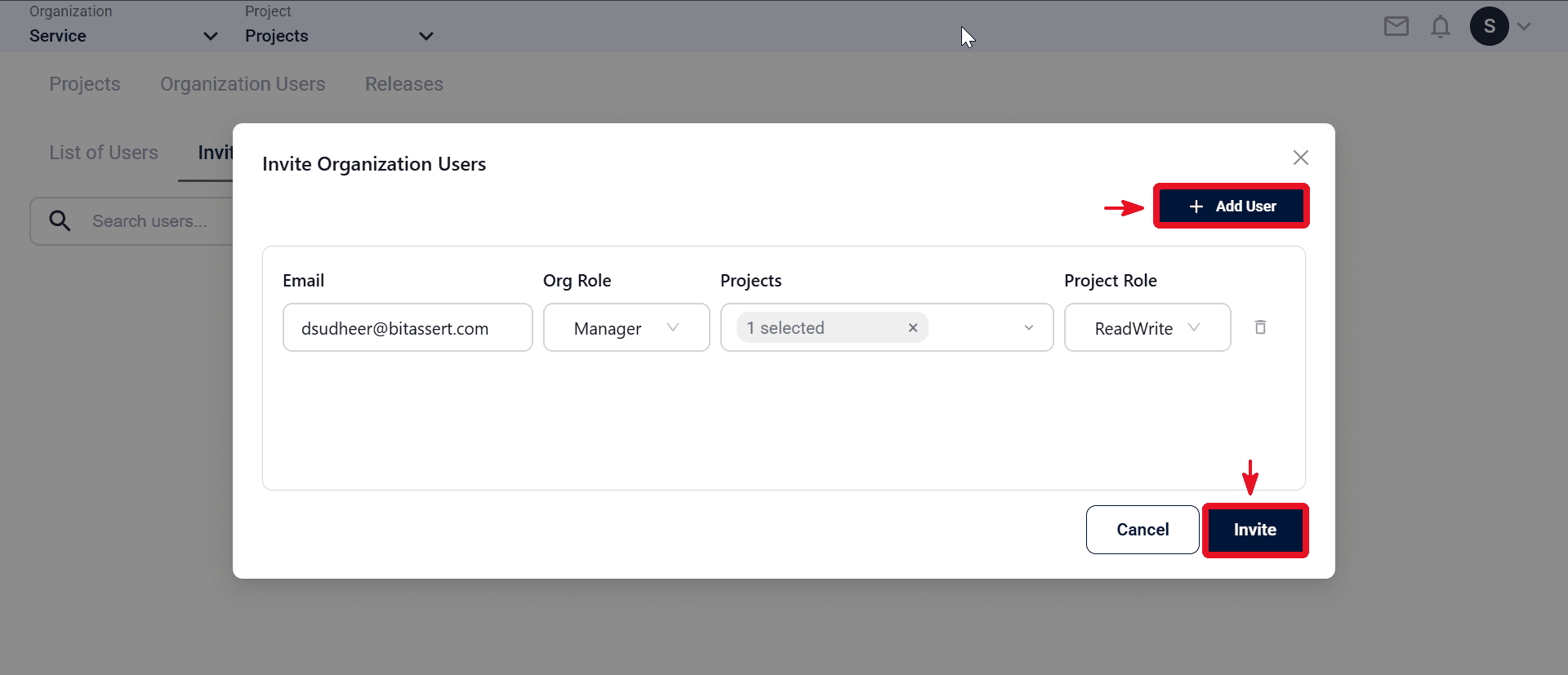
- Enter the user email in the Email field, then in Org Role assign the required role for that scope, select the project in Projects, and choose a project role: Read Only or Read/Write.
- Click Invite.
- Check Pending until accepted (team/pending for org, users/pending for project).
Expected outcome
Invite is created and appears in pending invites.