
Documentation
Getting Started
Guides for authoring, running and analysing tests across web automation, API and performance — plus setup, collaboration and release notes.
View Your First Result
Validate execution output by opening the latest run result and interpreting overall status, step/action-level behavior, and failure context so you can confirm test health and identify where corrective changes are needed.
Review Result
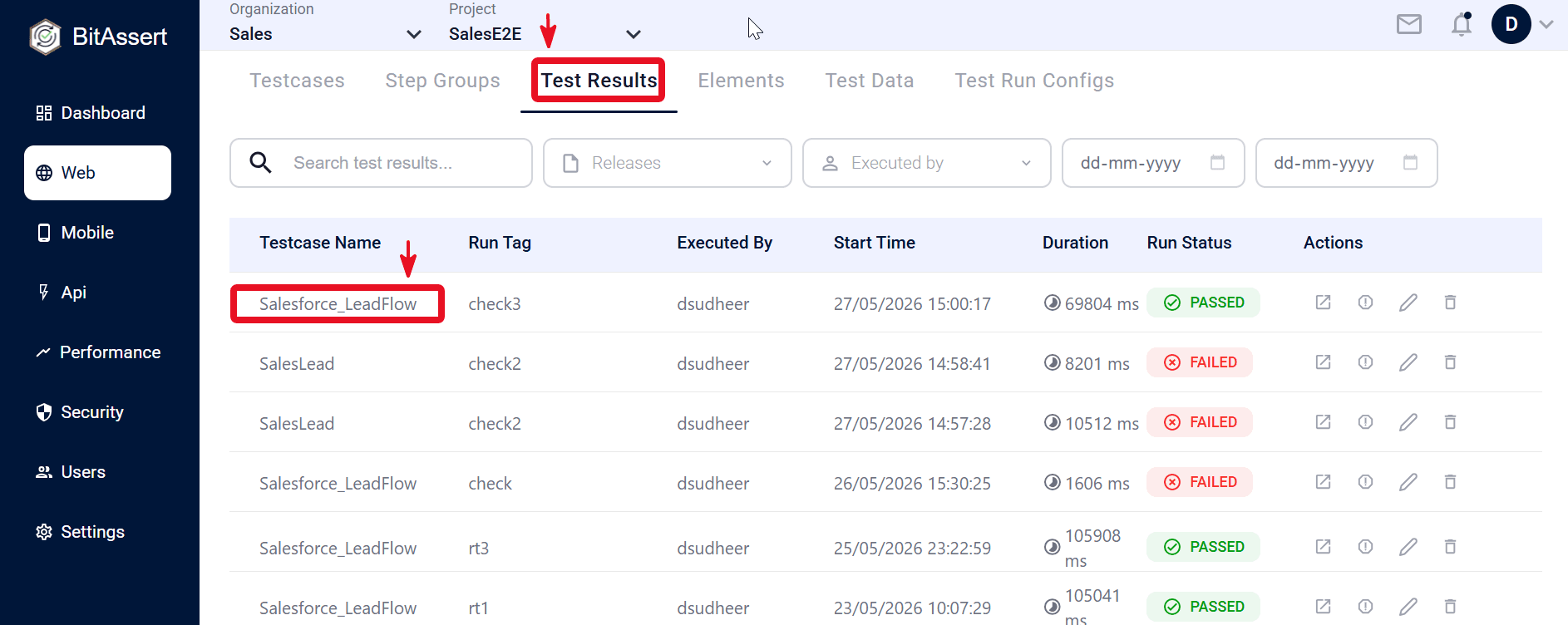
- Go to Test Results.
- Open latest run.
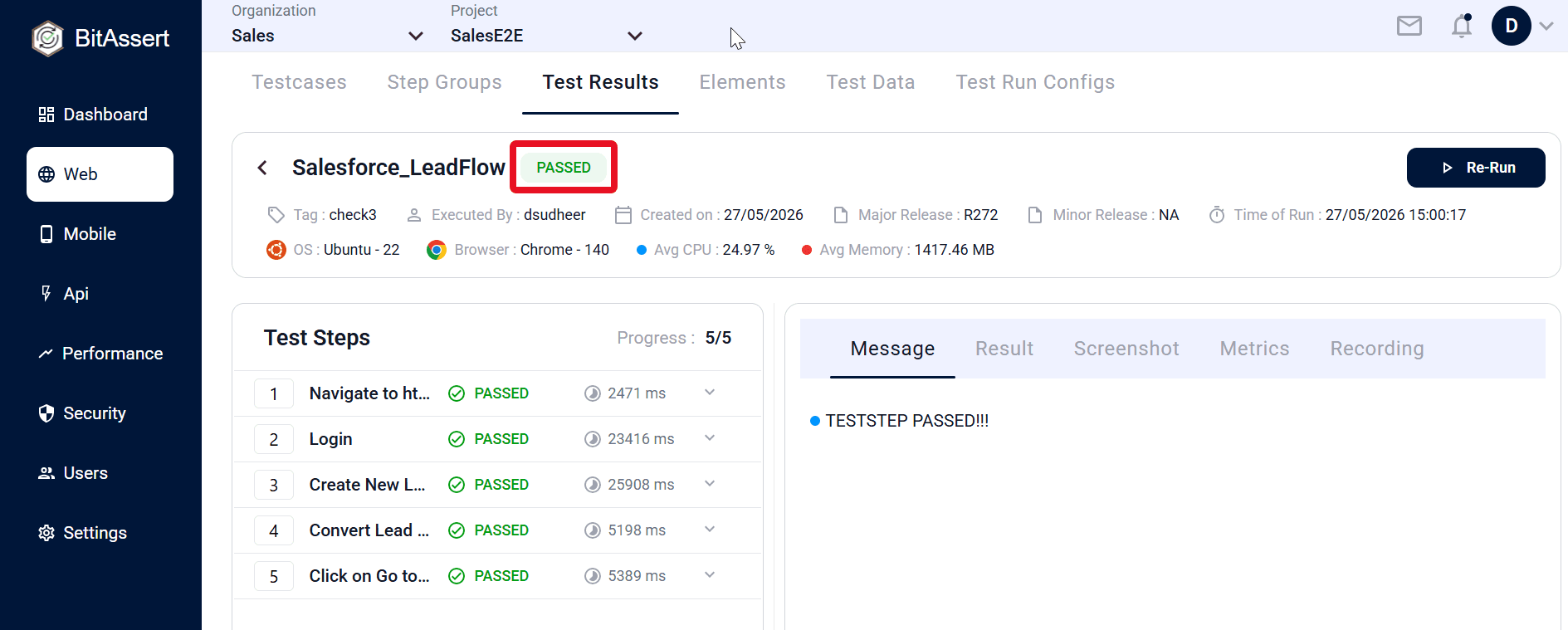
- Check overall status.
- Review step/action-level details.
Practical Tips
- Start with overall status, then go to failed steps.
- Check the first failed step - root cause is usually there.
- Do not analyze all steps if one already failed.
Expected outcome
User can identify pass/fail and understand what failed and where.