
Documentation
Project Management
Guides for authoring, running and analysing tests across web automation, API and performance — plus setup, collaboration and release notes.
Project-level navigation
Set up and navigate project-scoped modules so test authoring, execution, and result analysis are performed in the correct project context.
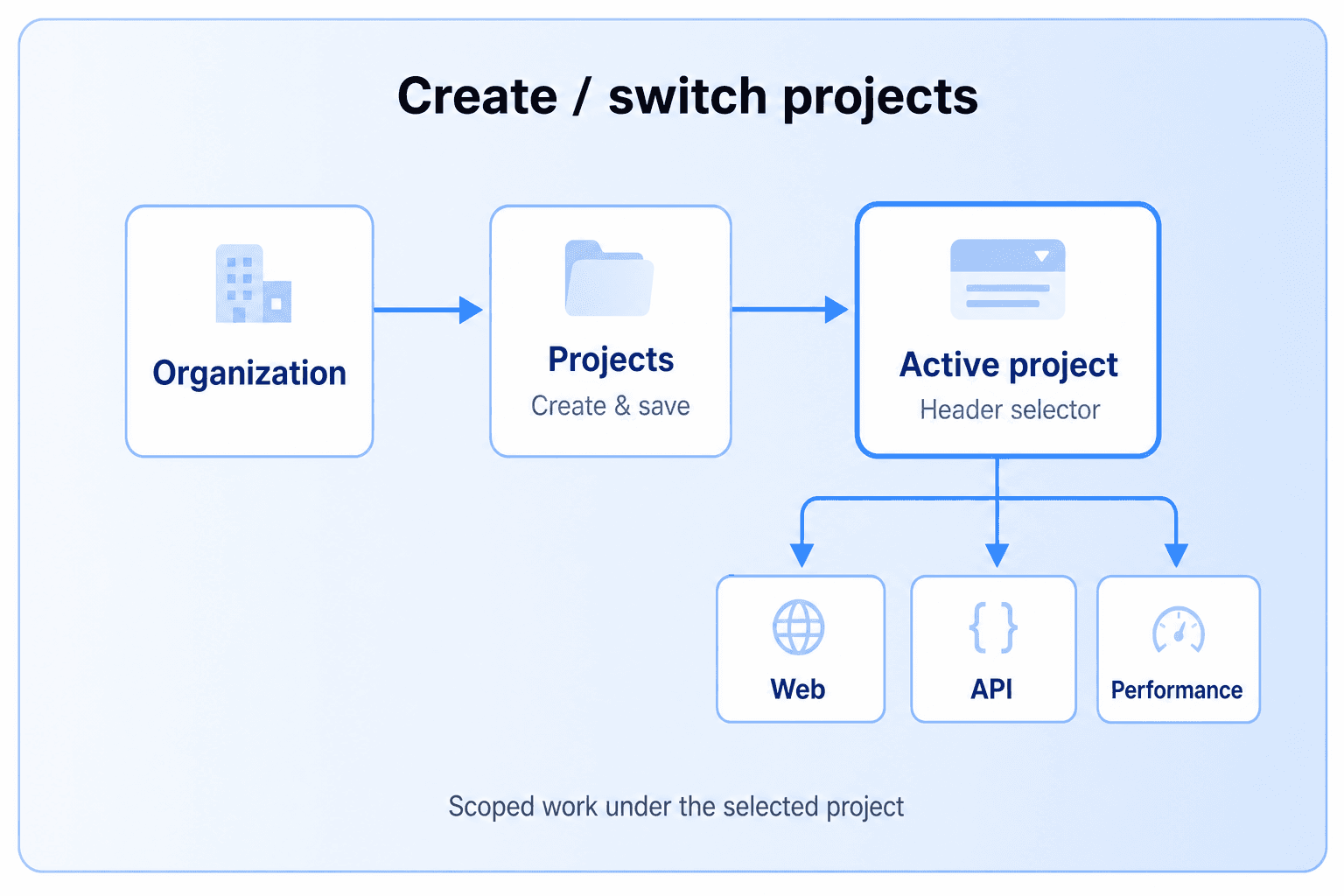
Project Flow
- Open the Organization dropdown and select the correct organization.
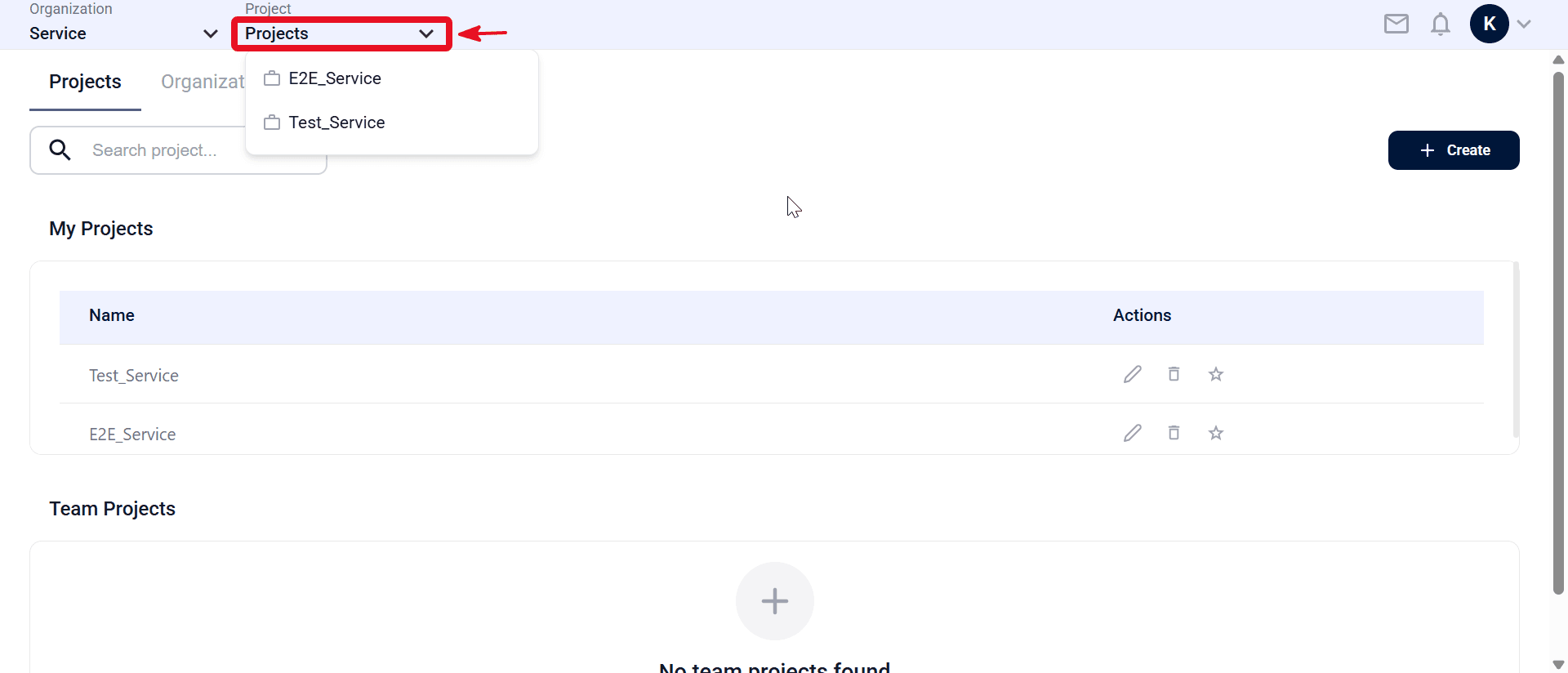
- Open the Projects tab and review My Projects (and Team Projects if applicable; see ).
- Open the Project dropdown and select the target project (for example, E2E_Service or Test_Service).
- To create a new project, click Create on the Projects page (see ).
- Under My Projects, review projects you created or fully manage. The Actions column may include Edit, Delete, and Favorite.
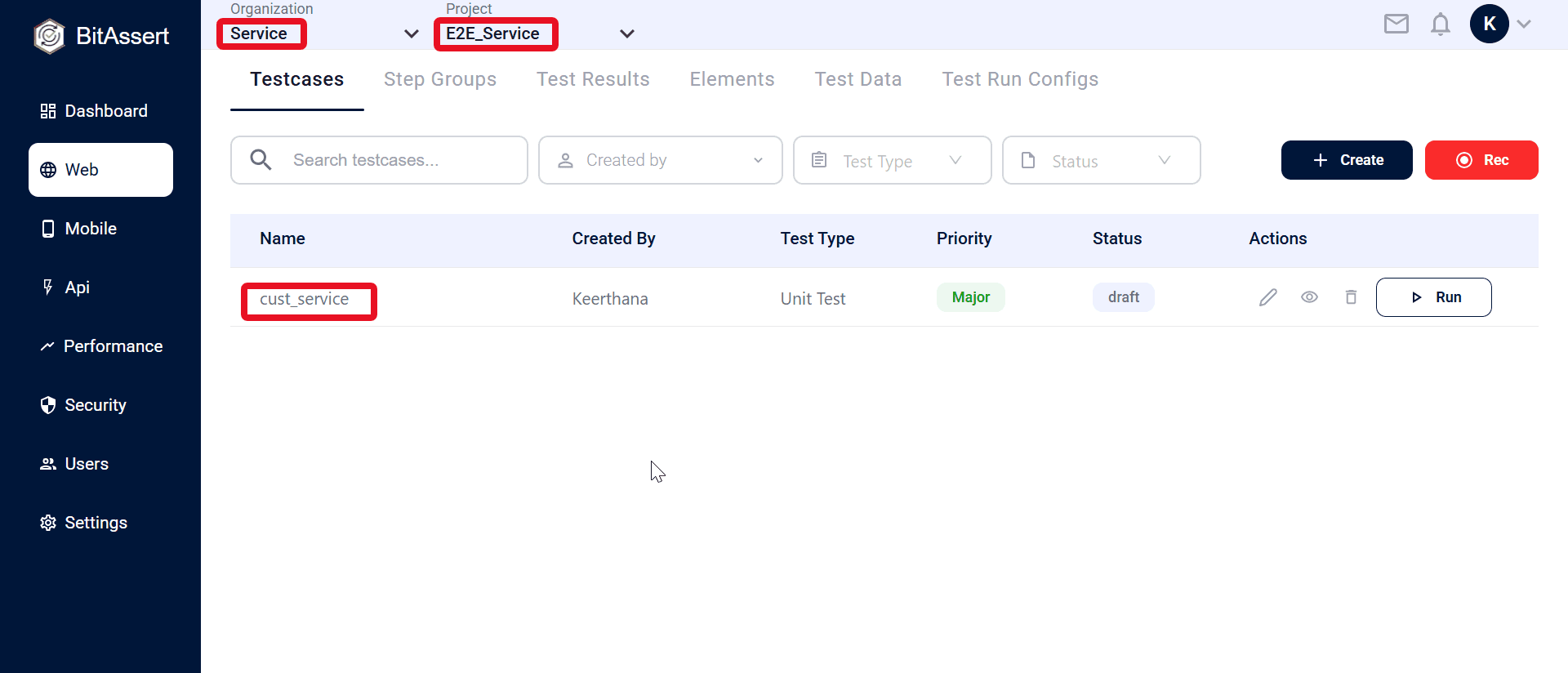
- Open Web, API, or Performance from the sidebar and confirm the Organization and Project dropdowns show the intended context (for example, Service and E2E_Service).
- Open Testcases and confirm listed items belong to the active project.
Note:
Always verify the organization & project context before creating testcases or starting runs, because test assets and results are project-scoped.
Expected outcome
The correct project is selected and project-scoped modules (Web, API, Performance) are available for testcase and run work.