
Documentation
Getting Started
Guides for authoring, running and analysing tests across web automation, API and performance — plus setup, collaboration and release notes.
Create Organization and Project
Create an organization and project workspace to structure teams, manage access, and store test assets. This setup provides the base context for authoring testcases, configuring runs, and reviewing results in the correct scope.
Note:
To create an organization, you need a licensed account linked to your profile. Module licensing and plan limits are described in . For commercial pricing and upgrades, contact us at bitassert.com/contact.
Create WorkSpace
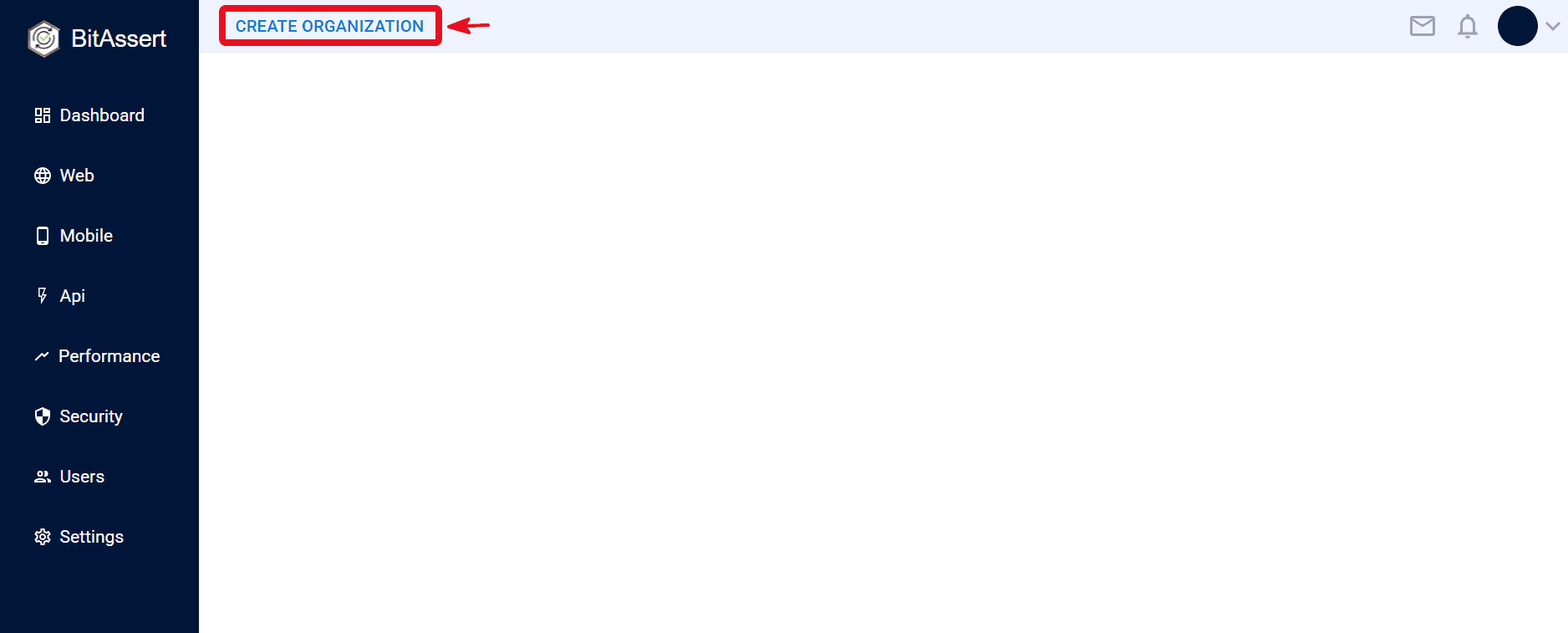
- Click on Create Organization
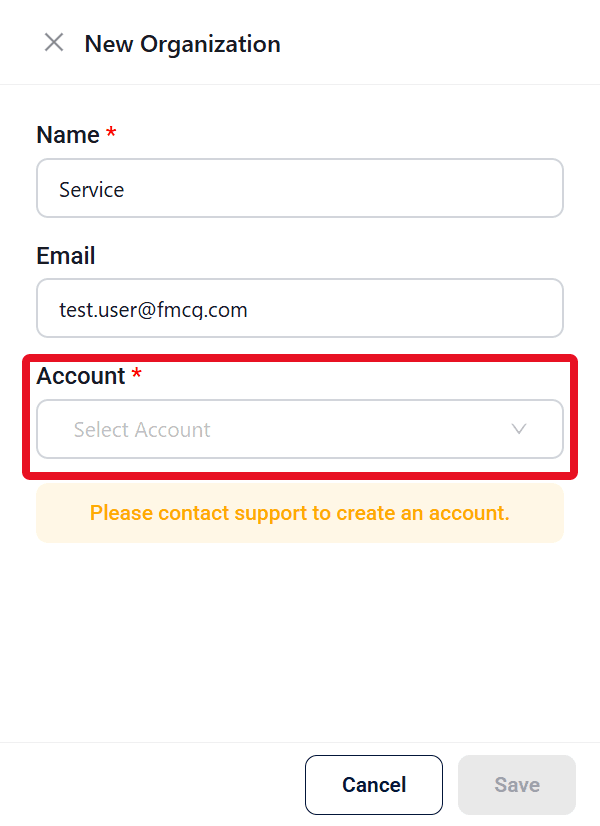
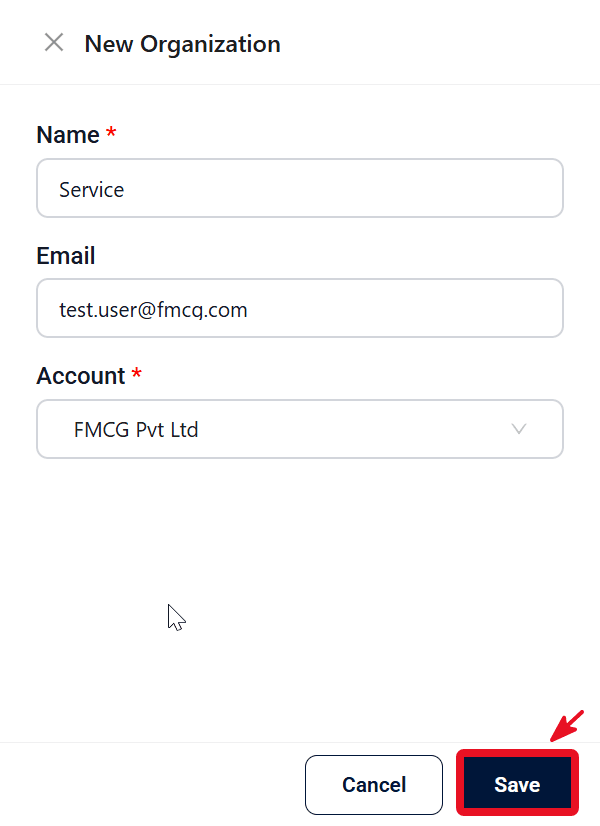
- Enter the organization Name and Email, select an Account from the dropdown, then click Save.
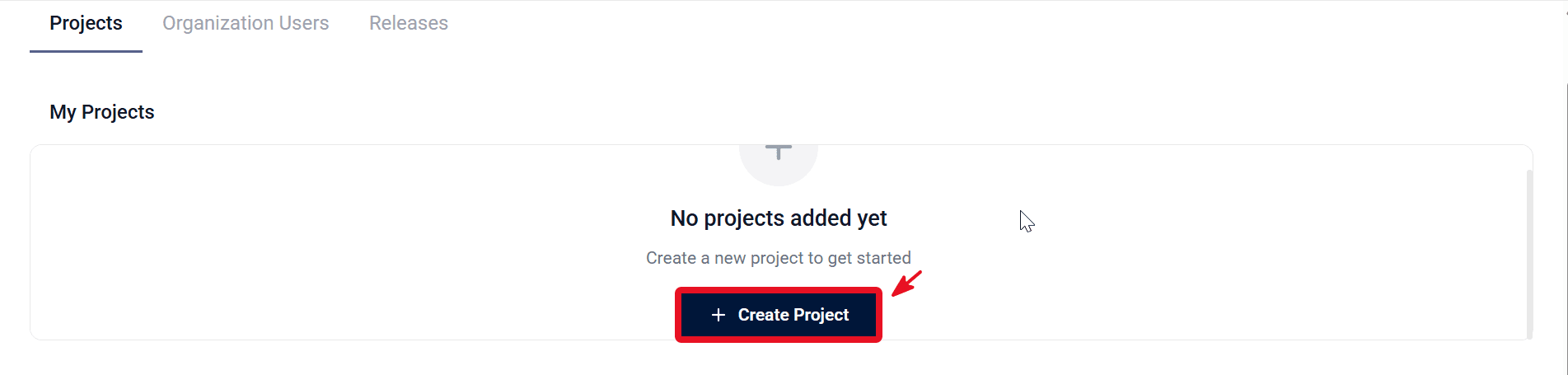
- After successful organization creation, you will be redirected to the project creation page . Click on Create Project
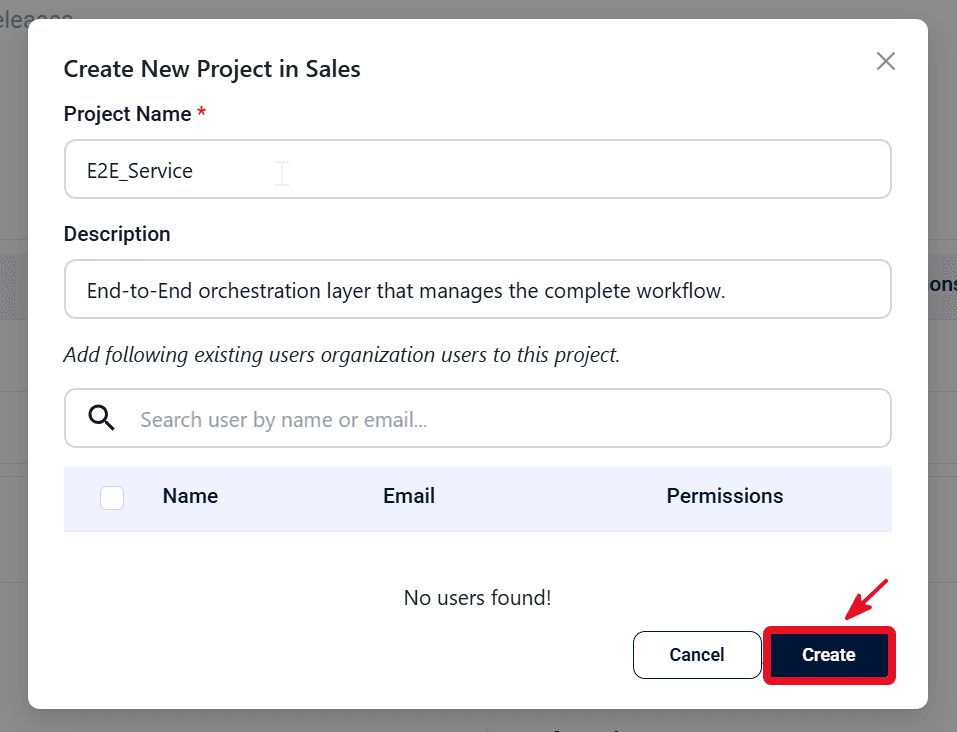
- In Create New Project in Sales, enter Project Name and Description.
- Click Create. The project is created and selected in the project dropdown.
Expected outcome
Project is active and ready for testcase creation.