
Collaboration & Access
Guides for authoring, running and analysing tests across web automation, API and performance — plus setup, collaboration and release notes.
Execution controls (run/stop/cancel where supported)
Control test run lifecycle safely by starting runs from testcase flows and applying stop/cancel actions based on current run state and module support.
Run
start execution from the relevant testcase context after selecting the required run inputs (such as run configuration where applicable). Once triggered, a run entry is created and begins lifecycle progression in the result/status views. Use this control to initiate new execution attempts and validate current testcase behavior in the selected module.
Stop
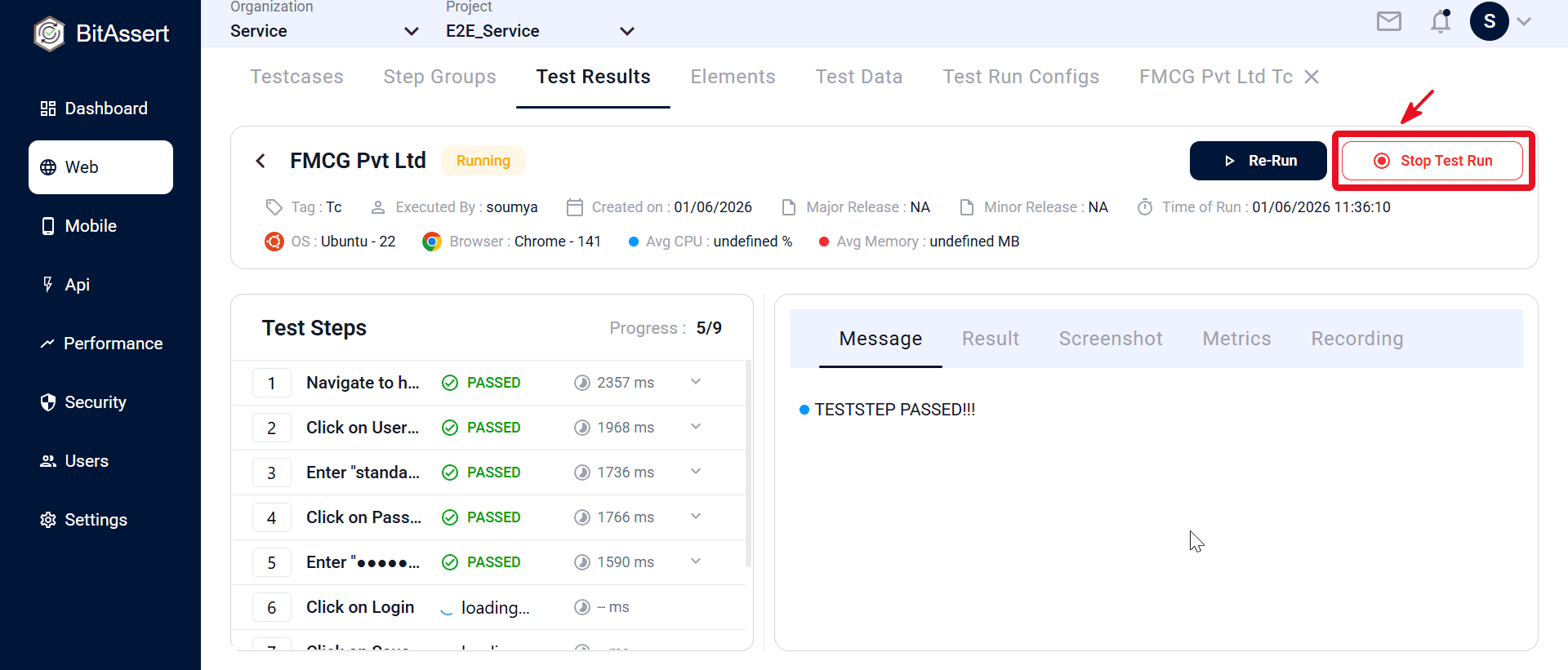
Use Stop when a run is already in progress and you need to halt active execution. This is useful when you detect incorrect setup, unstable environment behavior, or no longer need the current run to continue. After stop is issued, the run transitions through stop-related handling and remains visible in results/history for traceability.
Cancel
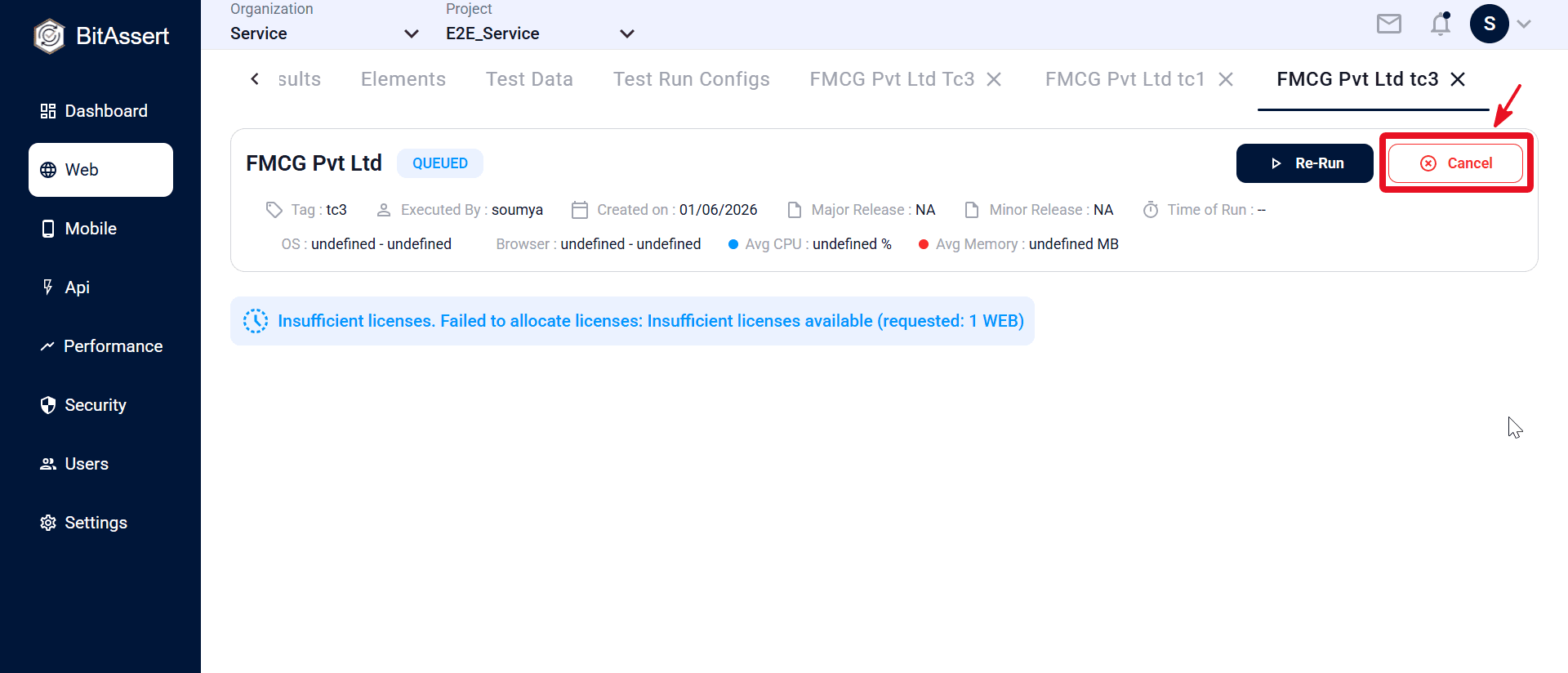
Use Cancel when a run is still queued and should be prevented from starting. This helps remove unnecessary or incorrect queued executions before they consume runtime resources. Cancelled runs remain recorded in lifecycle/history views so execution intent and final state are still auditable.
Steps to Run, Stop, and Cancel Tests
- Open test execution or result view.
- Start run from testcase/results flow.
- When the run status shows Running in Test Results, click Stop Test Run to halt the in-progress execution. The run stops while remaining visible in results for review.
- When the run status shows Queued in Test Results, click Cancel to remove the run from the queue before execution starts. The run remains recorded in results as Cancelled for traceability.
Expected outcome
Authorized users can control execution state across Web/API/Performance runs.