
Documentation
Web Automation
Guides for authoring, running and analysing tests across web automation, API and performance — plus setup, collaboration and release notes.
Create Testcase
Use Create Testcase to start a new browser test in your project. Create a Web testcase that can be authored, executed, and maintained: define what the test should do by adding steps in the editor—manually, with the recorder, or with AI help—then run it and refine it based on the results.
Prerequisites
- You are in the correct organization/project.
- You have edit-enabled project access (non-ReadOnly role).
Testcase creation workflow
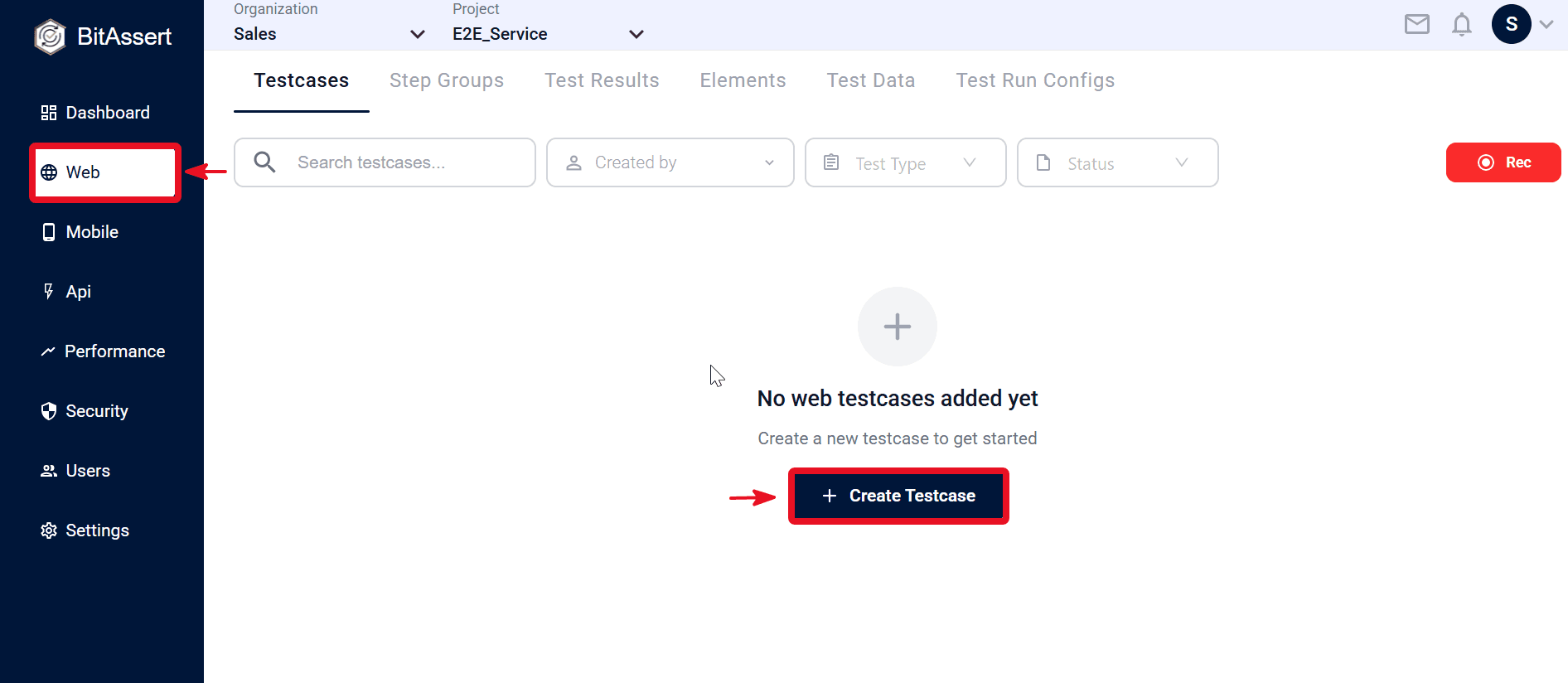
- Open Web > Testcases.
- Click + Create Testcase on the Testcases page.
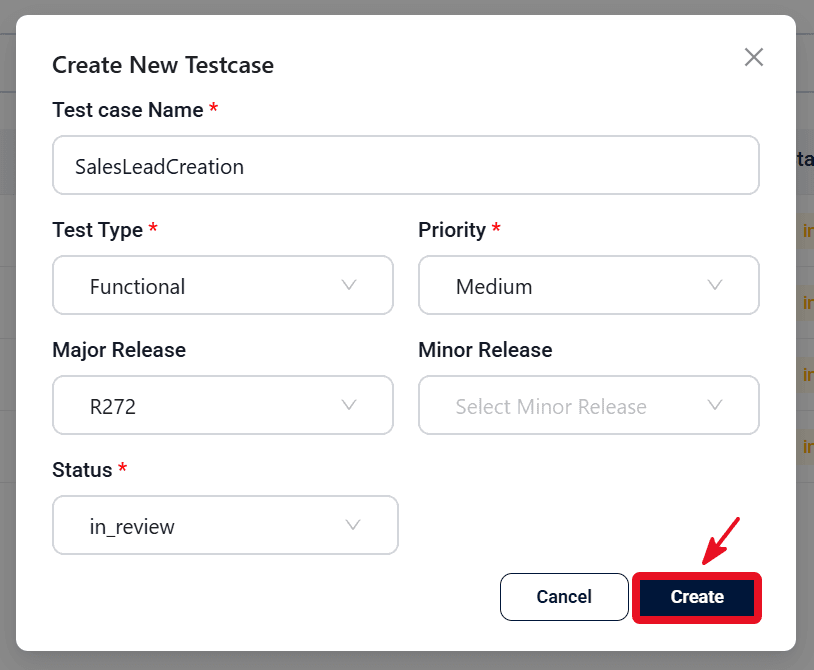
- Enter testcase details in the create modal.
- Click Create.
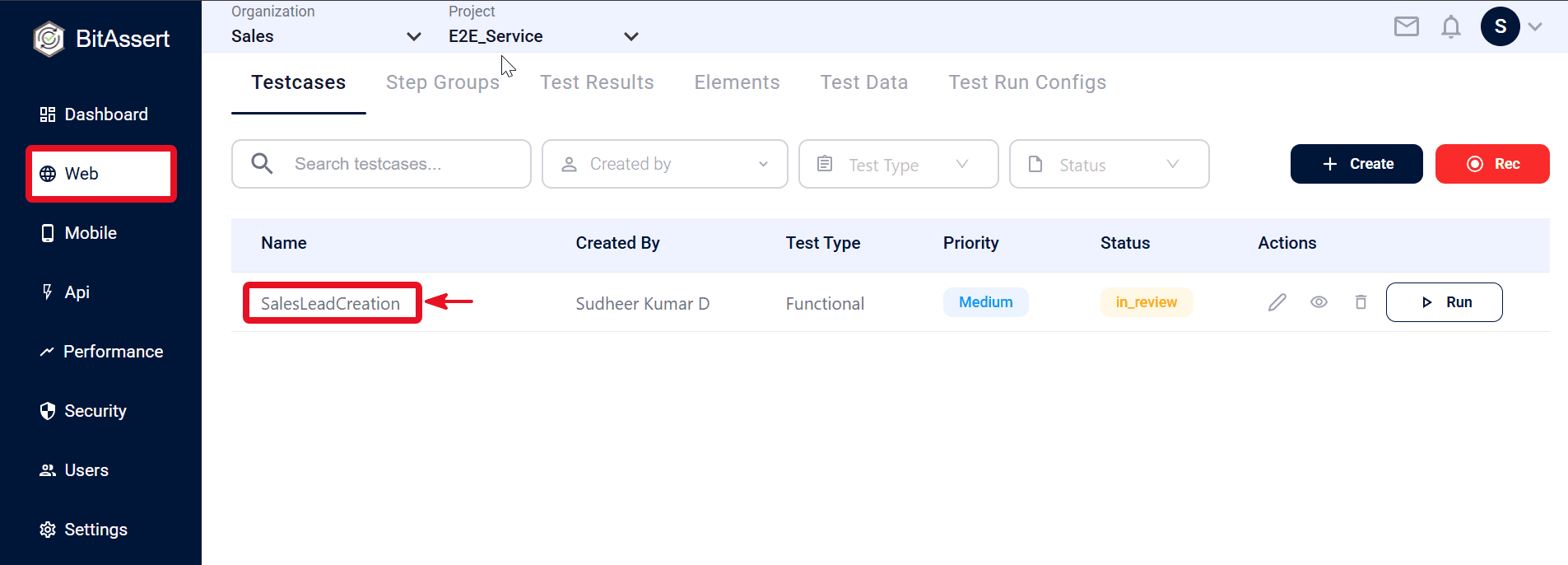
- Confirm the testcase is listed in the Testcases table with the expected name and metadata (for example, test type and status).
- Click the testcase Name in the list to open testcase details.
Expected outcome
A new Web testcase is saved, visible in the project's Testcases list, and you can open its details by selecting the testcase name.
Common issues
- Testcase not visible: confirm the correct project context.
- Save blocked: check required fields and role/access.