
Web Automation
Guides for authoring, running and analysing tests across web automation, API and performance — plus setup, collaboration and release notes.
Execute Tests
Execute Tests lets you run testcases and step groups to validate your automation. You can start runs from the testcase list, testcase details, step groups, and the dashboard. Use Local Agent for quick debugging while authoring; use Cloud for runs whose results are saved under Test Results for future reference.
Prerequisites
- At least one authored testcase, step group exists.
- For cloud runs: a is available (or create one from the run dialog).
- For local runs: is launched and connected.
How to run a test
Cloud execution
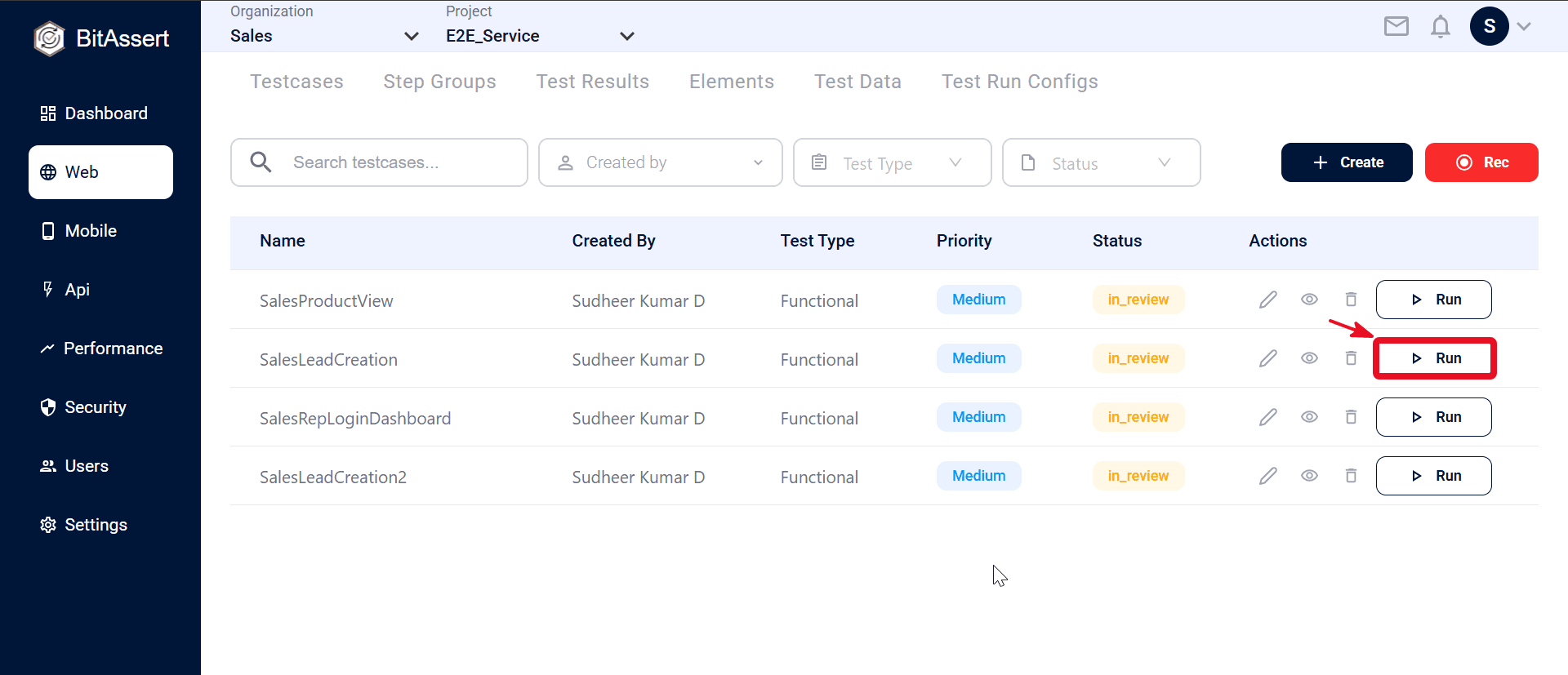
- Open Web > Testcases and click Run on a testcase.
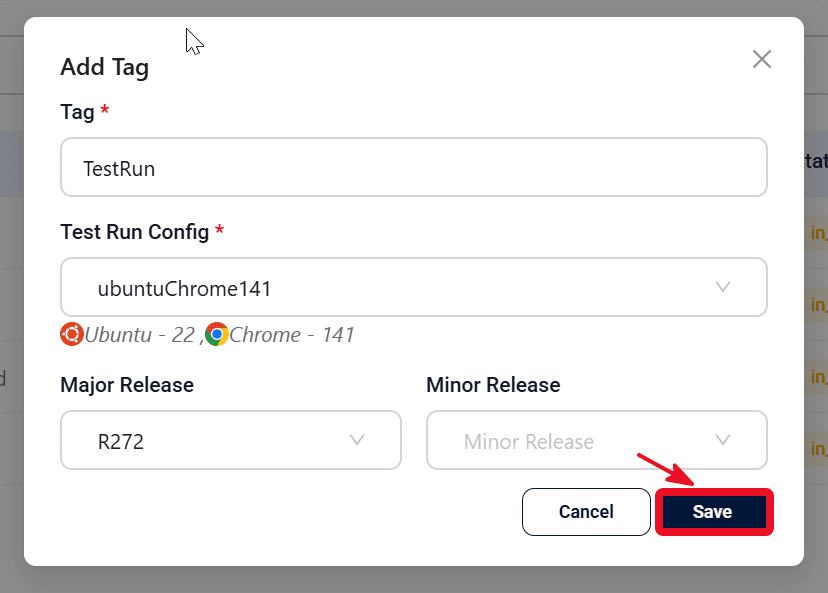
- Add a Tag, select a Test Run Config, and optionally choose a Release. See .
- Click Save to queue the run. Results are saved in Test Results.
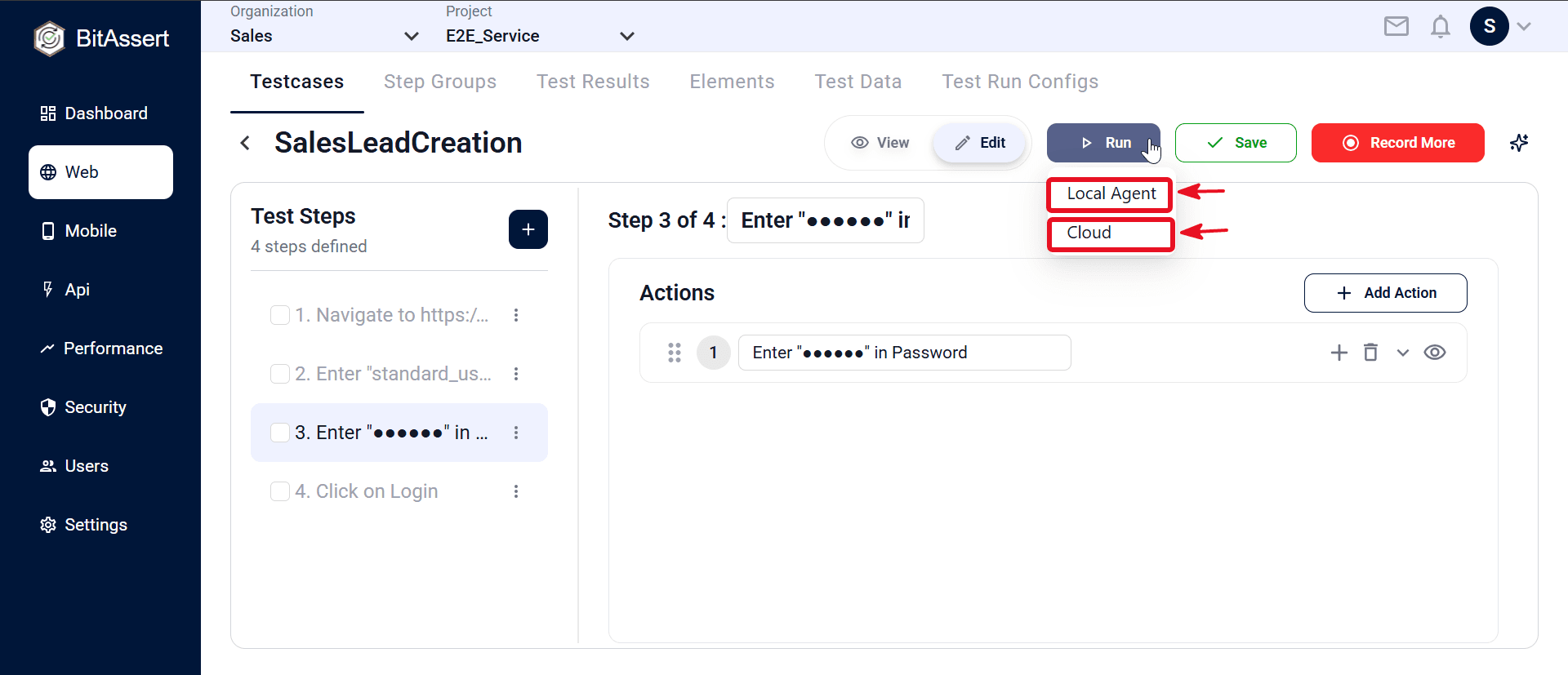
- Alternatively, open testcase details, click Run, choose Cloud, and use the same tag, config, and optional release.
Local execution
From testcase details
- Open testcase details and click Run.
- Choose Local Agent to run on your machine through the local agent (quick debugging).
- Step status and responses appear live in the editor. Results are not saved to the platform.
From step groups
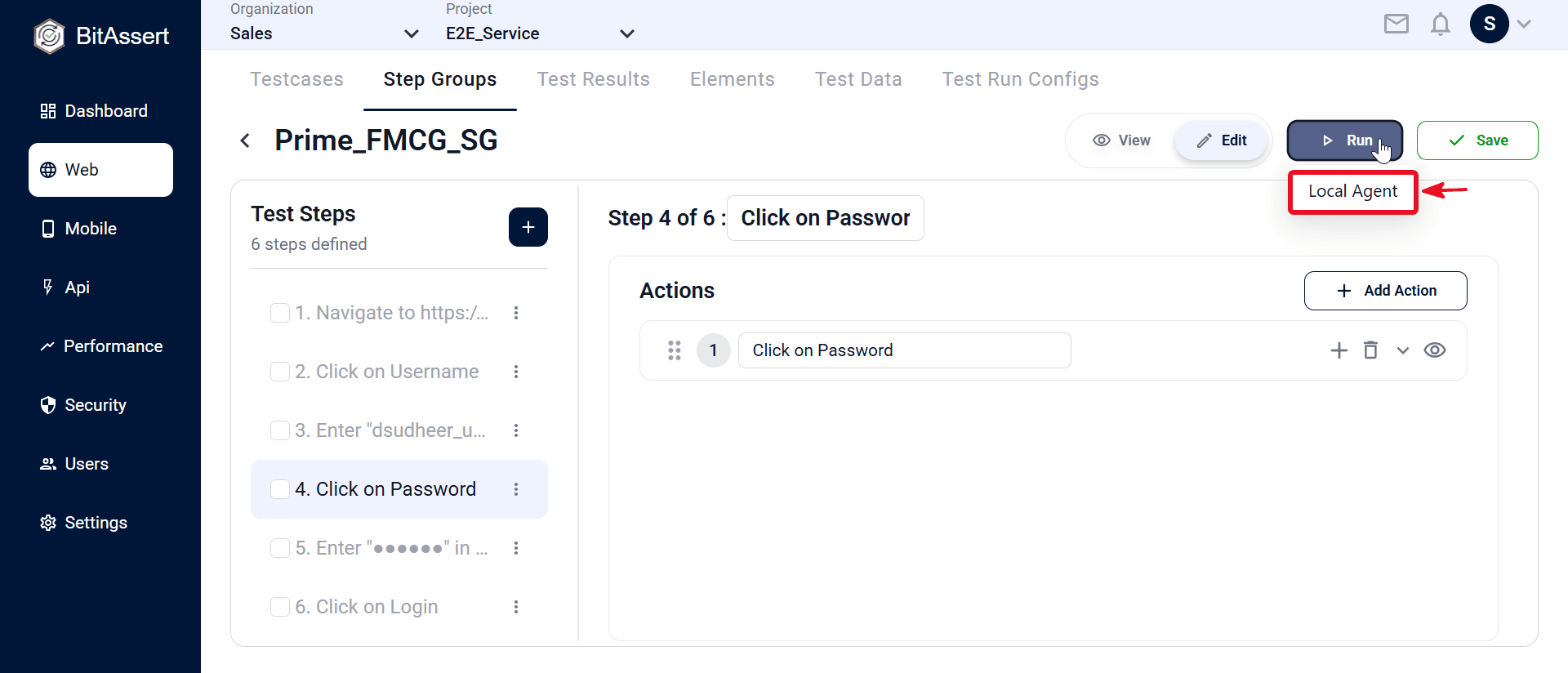
Open a step group, click Run, and choose Local Agent. Step status appears live during the run; results are not saved to Test Results.
Note: Before you run
- Cloud runs cannot exceed your plan's Max execution time. See .
- Make sure the local agent is launched and running on your machine.
- Local run results are not saved in the platform — you see live step status in the UI only. There is no entry in Test Results after the run ends. Use Cloud execution when you need saved run history.
- If it is not connected, execution fails with a local agent error.
- The agent resolves test data variables @{columnName} and ${variableName} during the run.
Run details (Cloud execution)
When you run via cloud, provide the following in the run dialog:
- Tag — required label to identify the test run.
- Test Run Config — browser, OS, timeouts, delays, screenshot mode, and failure behavior.
- Release (optional) — major and minor release for tracking.
Create a new config from the run dialog, or manage configs under .
During execution
- Local Agent — step status and responses appear live in testcase details.
- Cloud — the test is queued, then runs on configured infrastructure.
- View live progress from Test Results for in-progress runs.
- For running or queued cloud tests, use Stop or Cancel when supported (see ).
After execution
- Local Agent — step outcomes are visible live in the editor only; they are not stored in Test Results.
- Cloud — results are stored under .
- Each cloud result shows status, pass/fail outcome, executed by, run tag, release, and step-level details.
- Resolved test data values appear in the Test Data Variables Map for cloud runs.
- Re-run cloud tests from the results list or dashboard.
Use Local Agent for quick debugging while authoring — local run results are not saved in the platform. Use Cloud with a tag and Test Run Config for recorded runs whose outcomes are saved in Test Results.
Expected outcome
Local runs complete with live step feedback in the editor. Cloud runs queue successfully, execution progress is visible during the run, and completed results are available in Test Results with step-level detail and resolved test data values.