
API Testing
Guides for authoring, running and analysing tests across web automation, API and performance — plus setup, collaboration and release notes.
Test Run Configs
A Test Run Config is a reusable profile that controls how API testcases run in the cloud. Create and manage configs per project from API → Test Run Configs, then select one with a run tag when you start a cloud run. These configs apply to cloud execution only—they are not used for Local Agent runs or Send debugging on individual steps. API configs are simpler than Web configs: they cover step delay and failure handling, not browser, OS, or screenshot settings.
API Test Run Config settings (automation_api)
When it is used
Select a Test Run Config when you start a Cloud run from:
- Run → Cloud on an API testcase
- Bulk run from the Testcases list
- Re-run from
How it affects execution
During a cloud run, the engine runs enabled API steps (including steps inside ) in order. Step Delay adds a pause between each HTTP request. On Step Failure controls whether the run stops or continues after a failed step or assertion.
Note:
- Test Run Configs are used for Cloud runs only. They are not used for Local Agent runs or Send on individual steps.
- A Test Run Config must be selected for cloud execution. The config's automation type must match the testcase (automation_api).
Create a Test Run Config
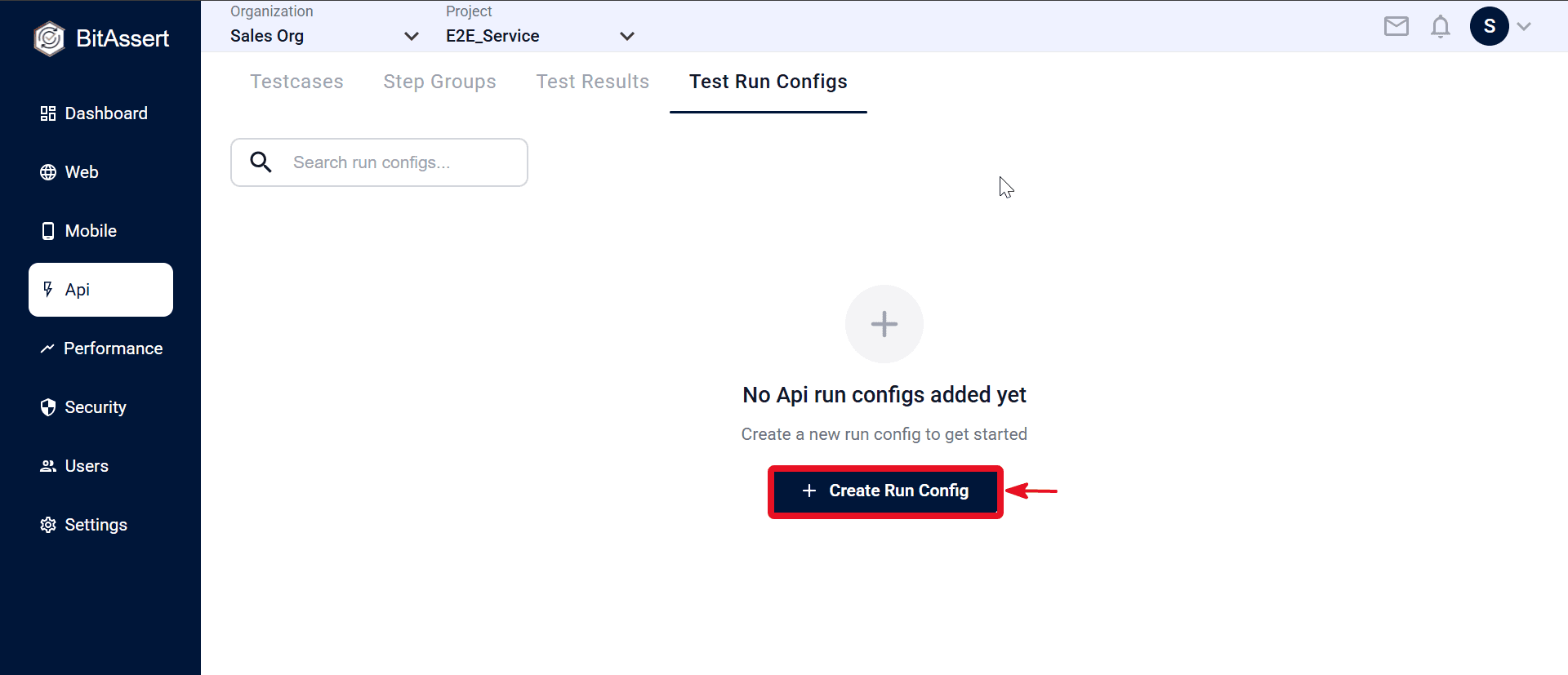
- Go to API > Test Run Configs and click Create.
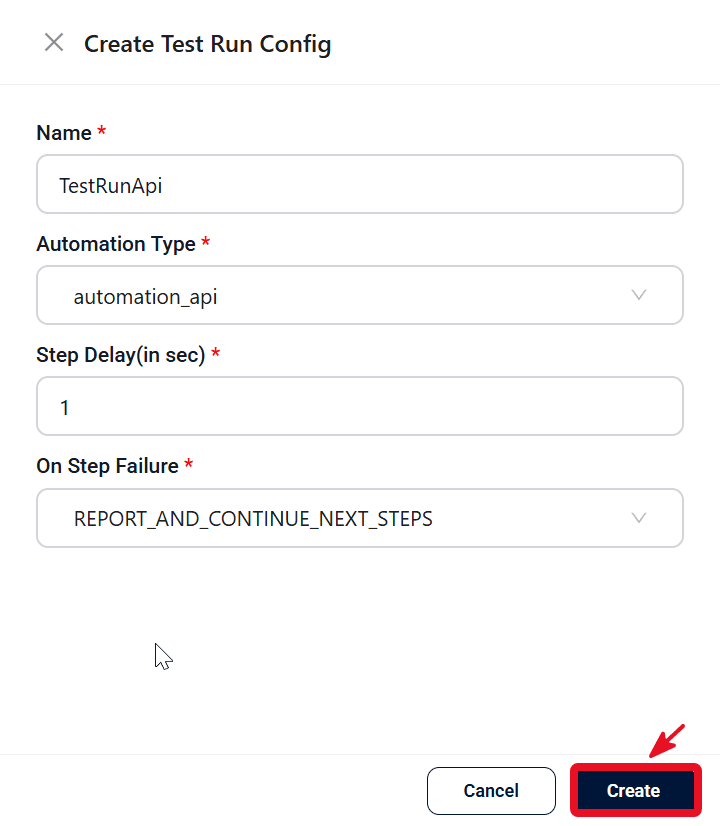
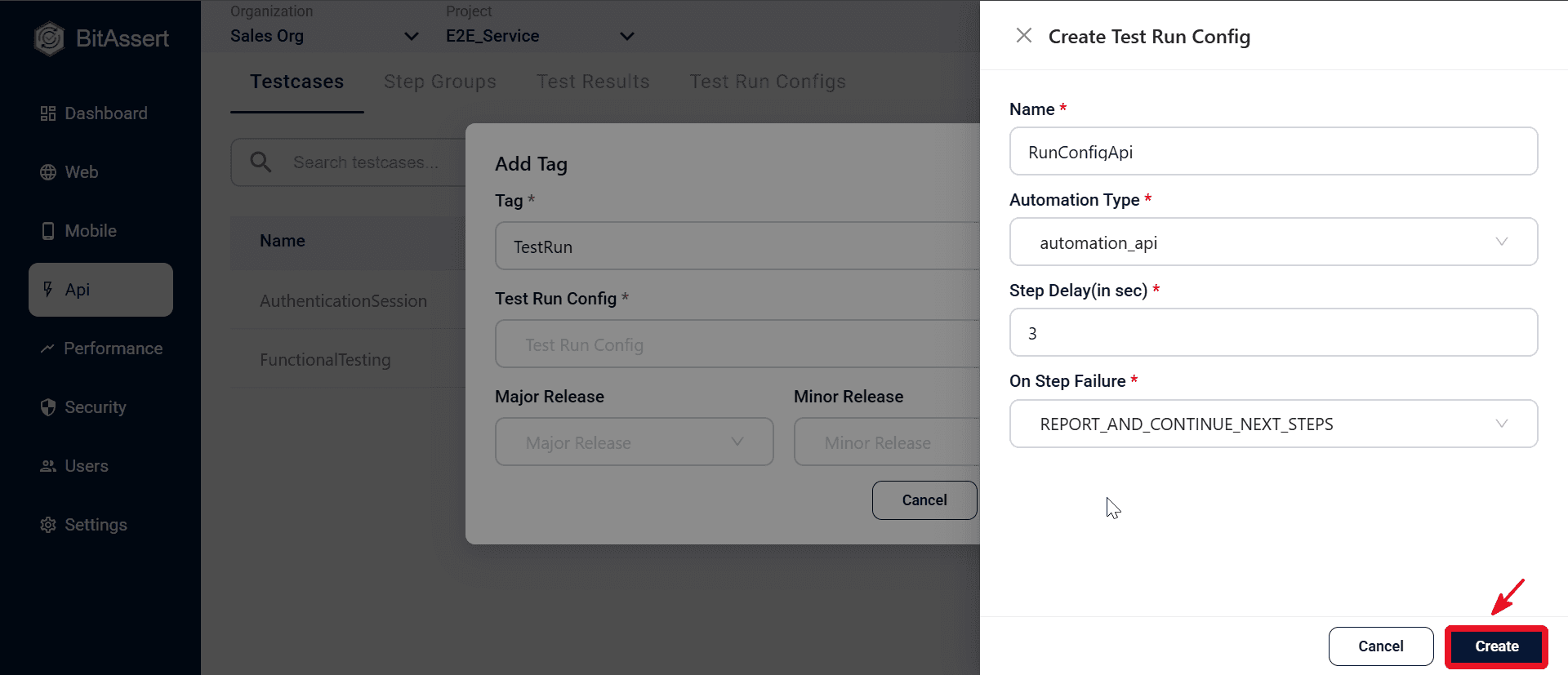
- In the Create Test Run Config modal, set Name (for example TestRunApi), Automation Type automation_api, Step Delay (for example 1 sec), and On Step Failure (for example Abort and Report).
- Click Create to store the config.
Create from the run dialog
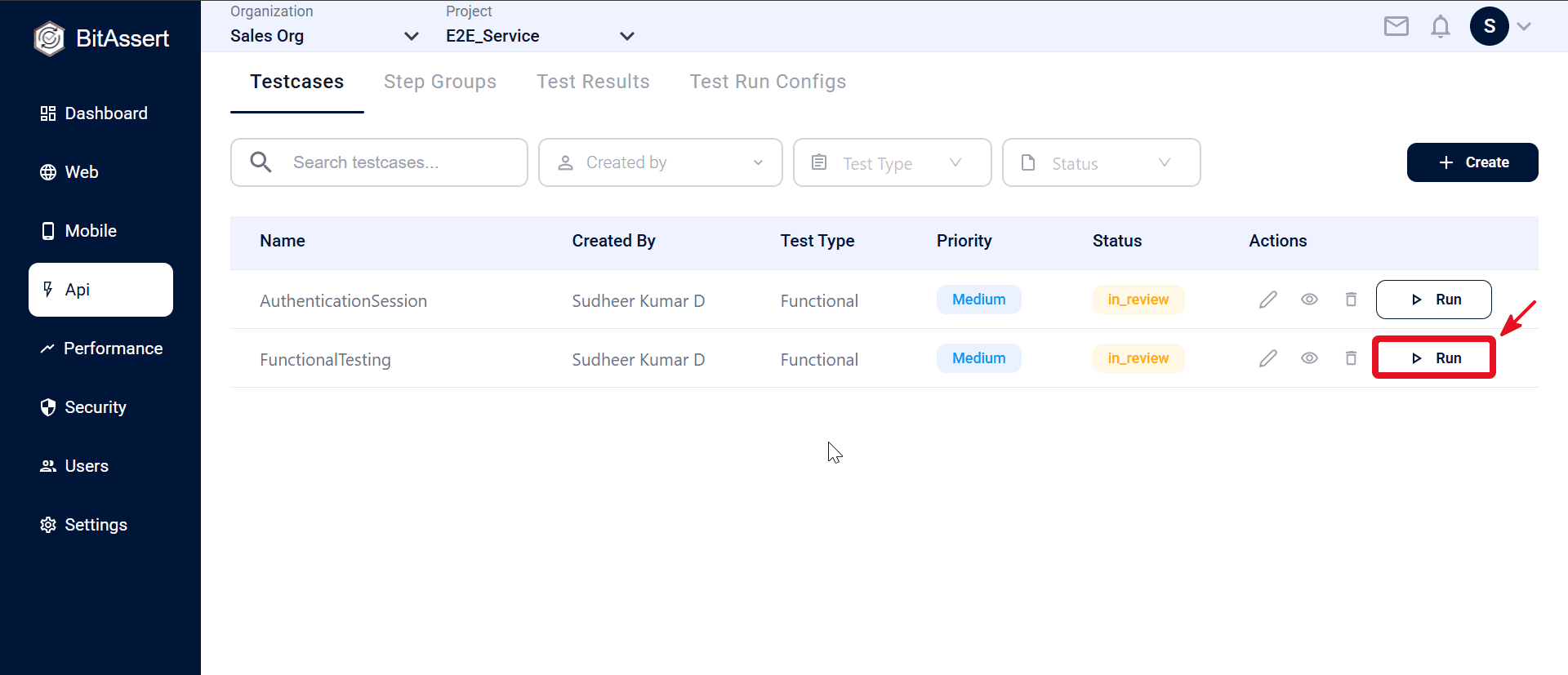
- Go to Web > Testcases and click Run on a testcase (for example FunctionalTesting) in the Actions column.
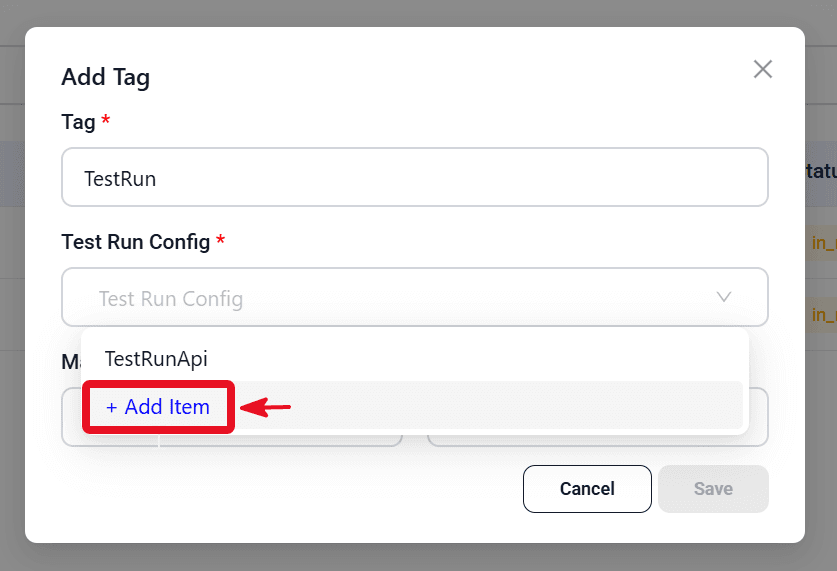
- In the Test Run Config field, click + Add Item.
- Enter config details (automation_api, step delay, on step failure) and click Create.
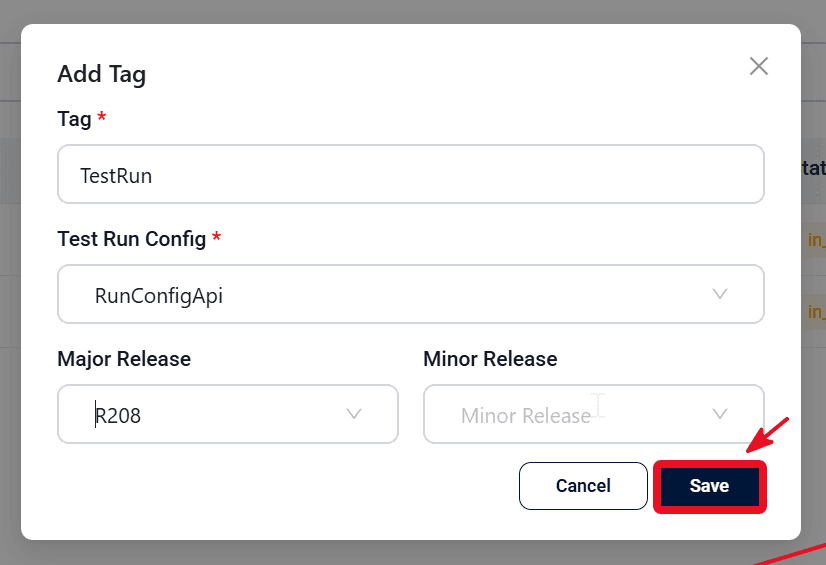
- Enter a Tag (required), select the Test Run Config, and optionally choose major/minor release.
- Click Save to start the cloud execution.
Practical tips
- Create separate configs for different failure policies (strict abort vs continue on failure) without changing testcases.
- Use a small Step Delay when APIs rate-limit; increase delay for dependent chains that need settle time.
- Set per-step timeoutMs on slow endpoints — that timeout is not controlled by the run config.
Expected outcome
Reusable API Test Run Configs are saved in the project and available when starting cloud runs. Each config captures step delay and failure-handling settings for consistent API execution in the cloud.