
Documentation
API Testing
Guides for authoring, running and analysing tests across web automation, API and performance — plus setup, collaboration and release notes.
Manual
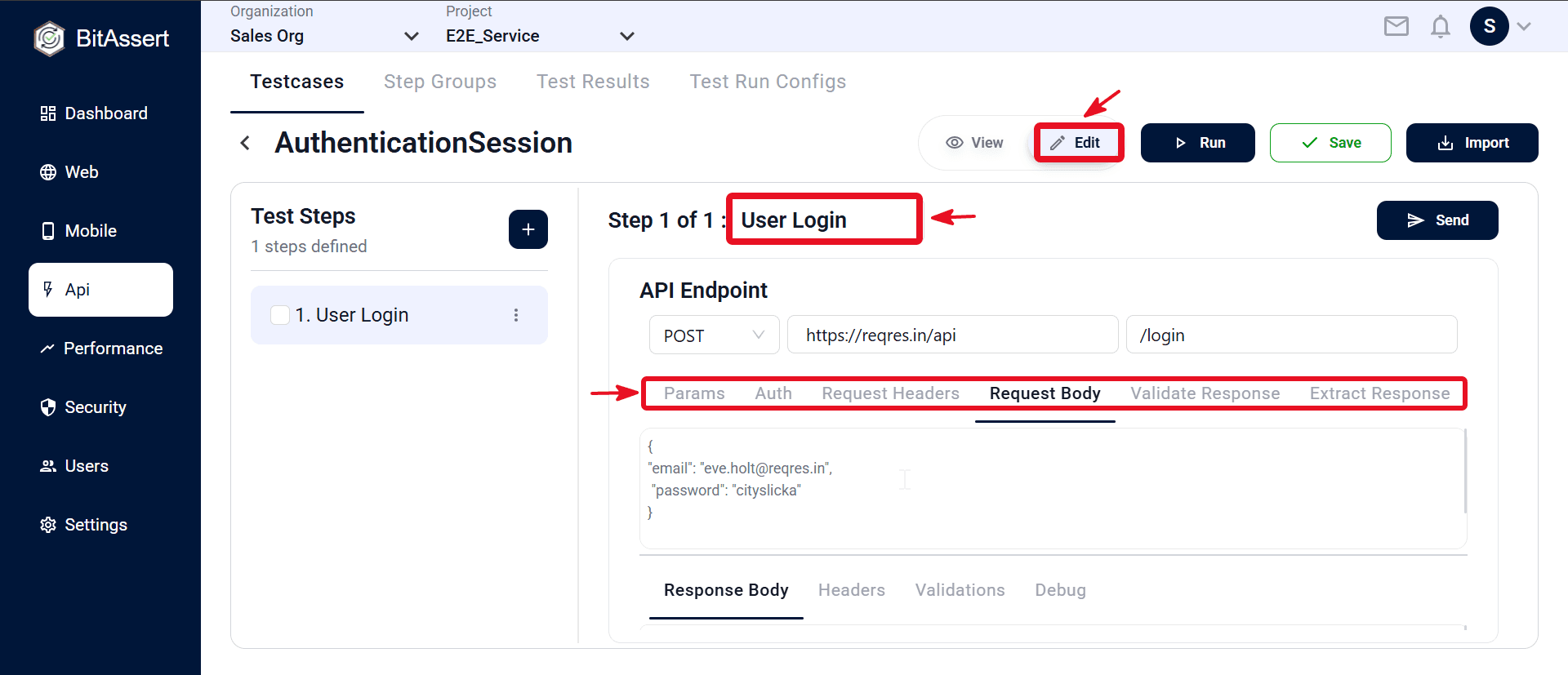
Build API testcase logic in the editor by adding request steps manually. No Postman import is required. Each step is one API call — configure method, URL, auth, headers, body, assertions, and extraction rules in the step details panel on the right.
Prerequisites
- API testcase already created.
- Correct organization/project and non–Read-only access.
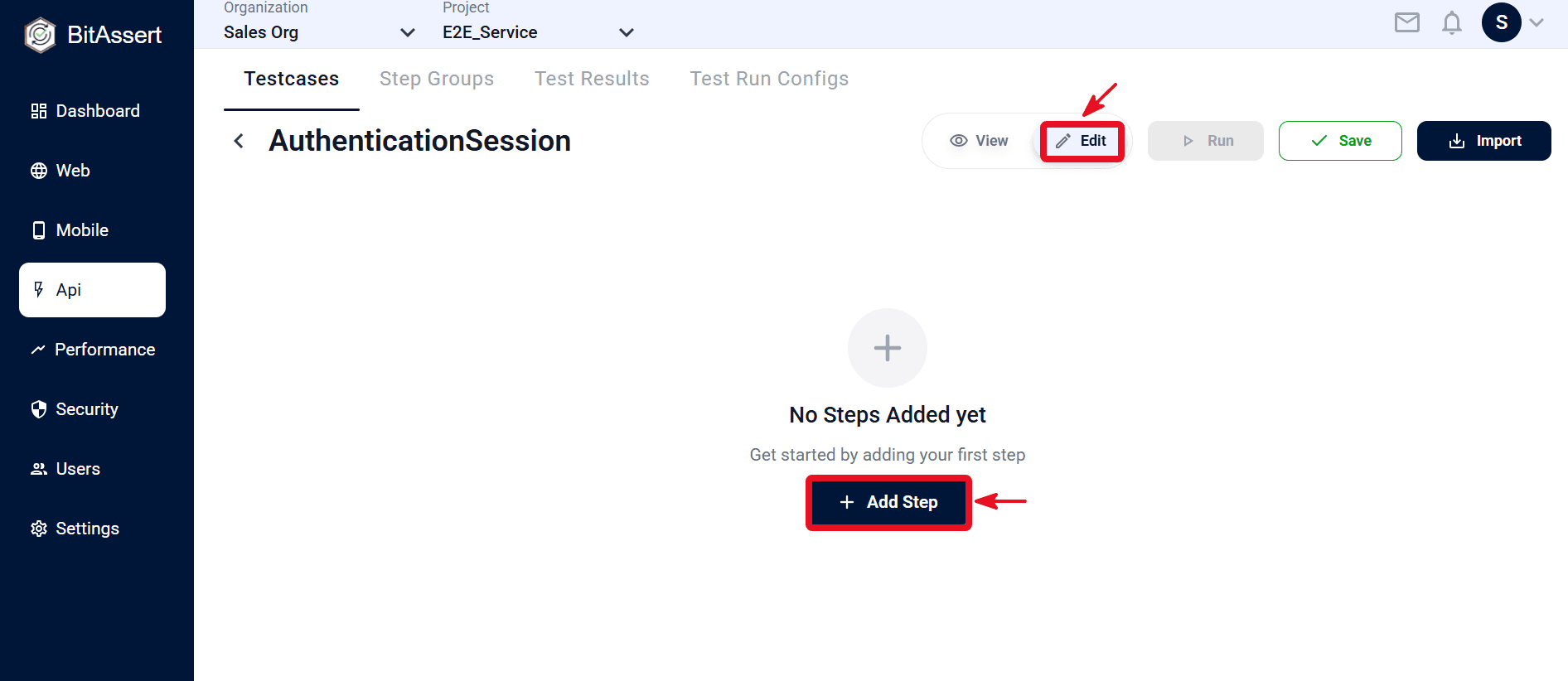
- Switch to Edit on the testcase details page before adding or changing steps.
Manual authoring workflow
- Open the testcase from API > Testcases and click the testcase Name (see ).
- Switch View → Edit, then click + Add Step.
- Select the step in the Test Steps panel and rename it in the step header (replace the default New API Step).
- Set Method, URL, and path; fill Params, Auth, headers, and body; add assertions in Validate Response and extractions in Extract Response.
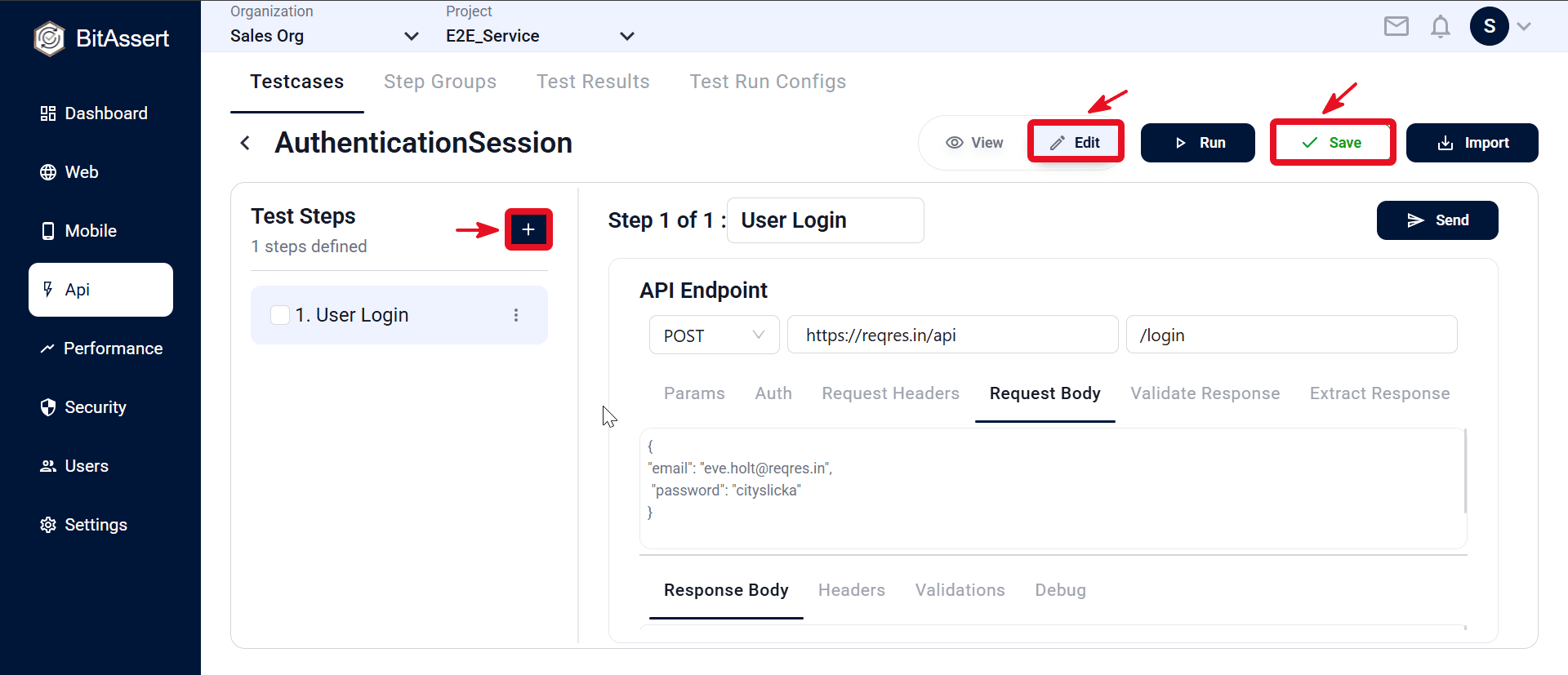
- To add more API calls, click + in the Test Steps panel and repeat configuration for each step.
- Click Save in the top bar to store the testcase.
Expected outcome
The API testcase has one or more request steps with method, URL, auth, headers, body, and optional assertions and extractions configured — ready to run with a test run config.
Common issues
- Cannot edit: use Edit mode; confirm you are not Read Only.
- Send fails: check URL, path, auth, and headers; confirm the endpoint is reachable.
- Assertions fail at run time: use Send while authoring to verify the live response before adding validation rules.