
Documentation
API Testing
Guides for authoring, running and analysing tests across web automation, API and performance — plus setup, collaboration and release notes.
Create Testcase
Create an API testcase to define request steps and run behavior. Use this page when you need a new API test in your project — add steps manually, import from Postman, or open an existing testcase to continue authoring.
Prerequisites
- Correct organization and project selected.
- Edit-enabled project access (not Read Only).
Testcase creation workflow
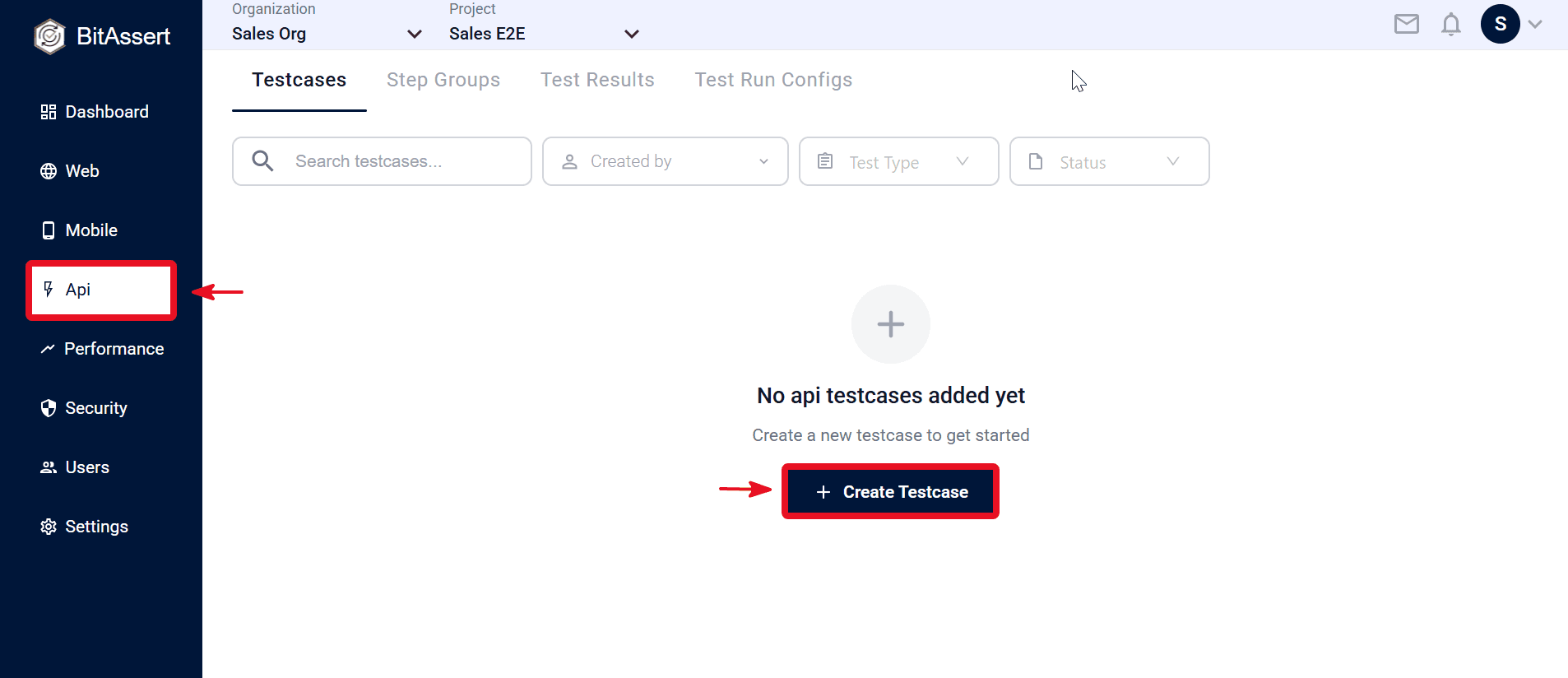
- Open API > Testcases.
- Click + Create Testcase on the Testcases page.
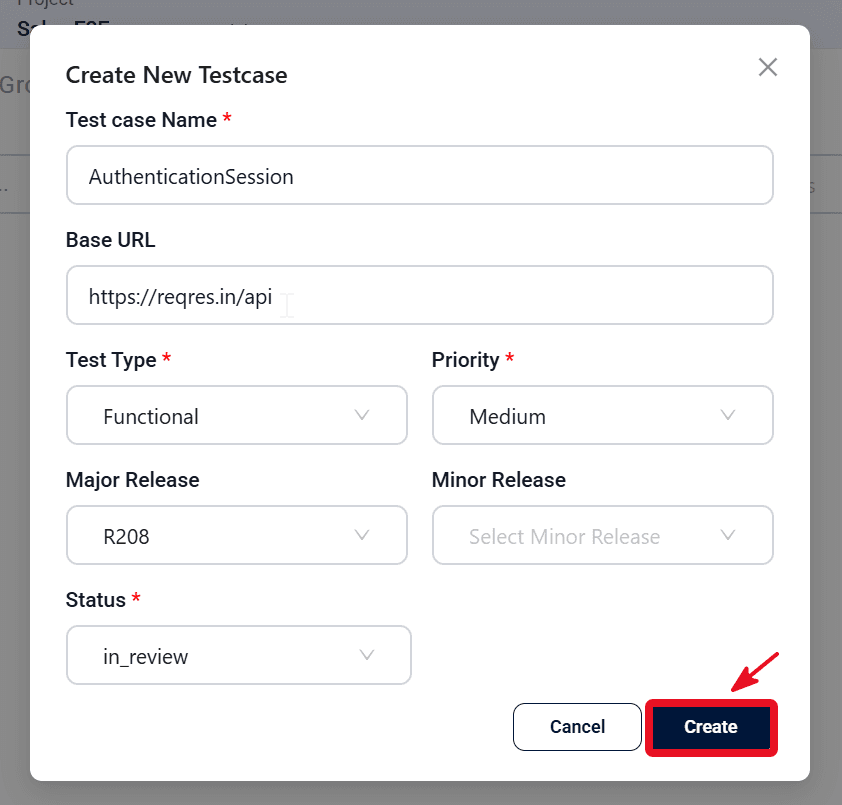
- Enter testcase details in the create modal.
- Click Create.
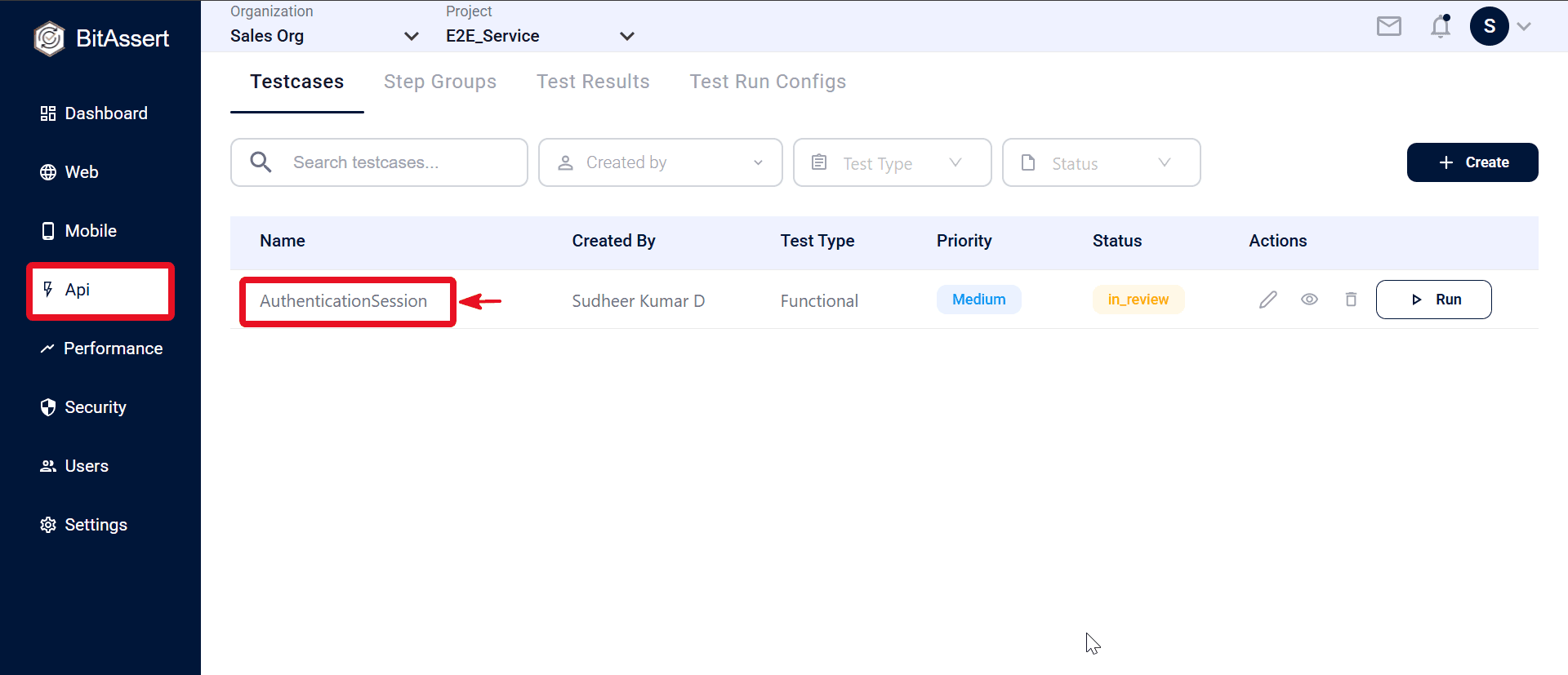
- Confirm the testcase is listed in the Testcases table with the expected name and metadata (for example, test type and status).
- Click the testcase Name in the list to open testcase details.
Expected outcome
The API testcase is available in the Testcases list and testcase details, and is ready for authoring.
Common issues
- Testcase not visible: confirm the correct project context.
- Save blocked: check required fields and role/access.