
Documentation
API Testing
Guides for authoring, running and analysing tests across web automation, API and performance — plus setup, collaboration and release notes.
Import Postman collection
Import a Postman collection (v2.1 JSON) to generate API request steps in the testcase editor. Use this when you already have requests in Postman and want to migrate them quickly — then review, add assertions, and save.
Note:
- Import fails: confirm the file is Postman v2.1 JSON format.
- Cannot import: use Edit mode; confirm you are not Read Only.
- Missing assertions: import creates requests only — add Validate Response rules after import.
Import workflow
- Open the testcase from API > Testcases and click the testcase Name (see ).
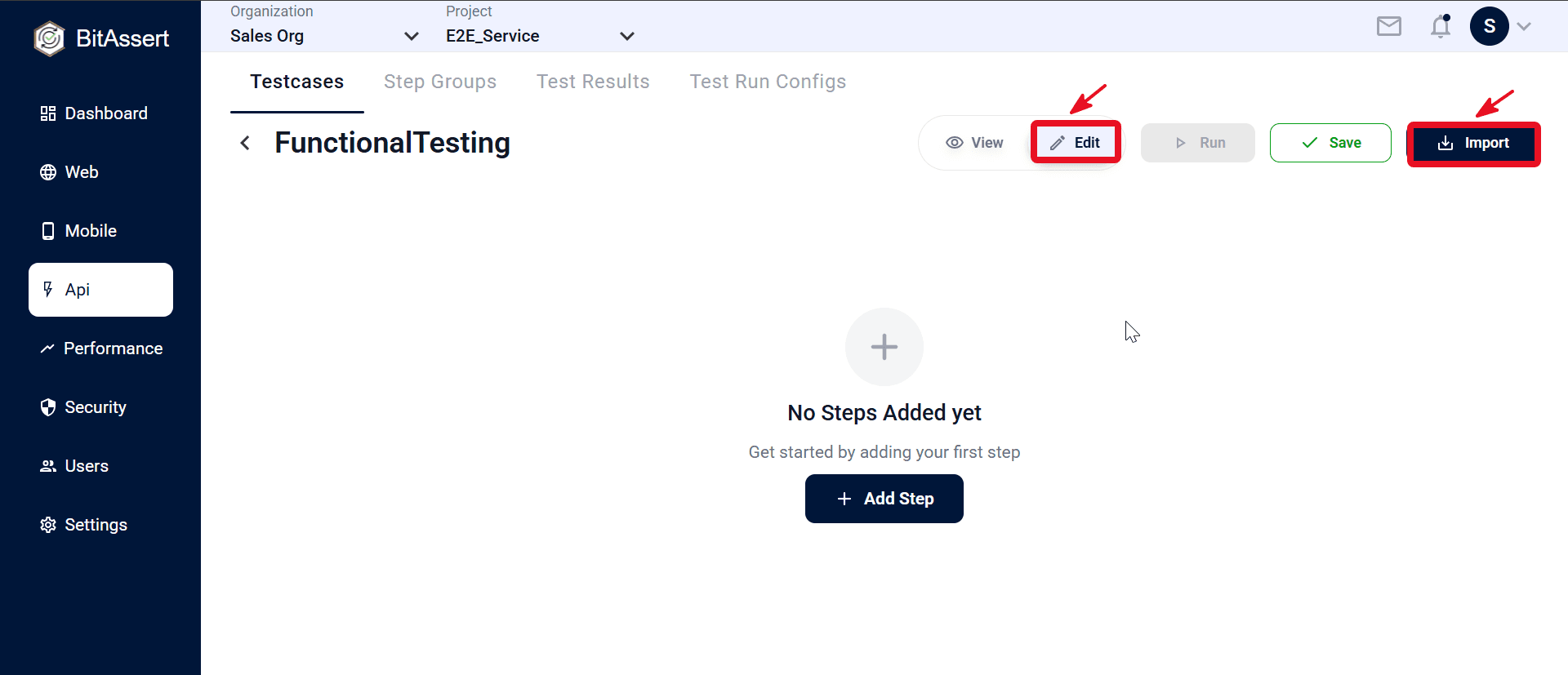
- Switch View → Edit, then click Import.
- Select your Postman collection file (v2.1 JSON) and confirm the import.
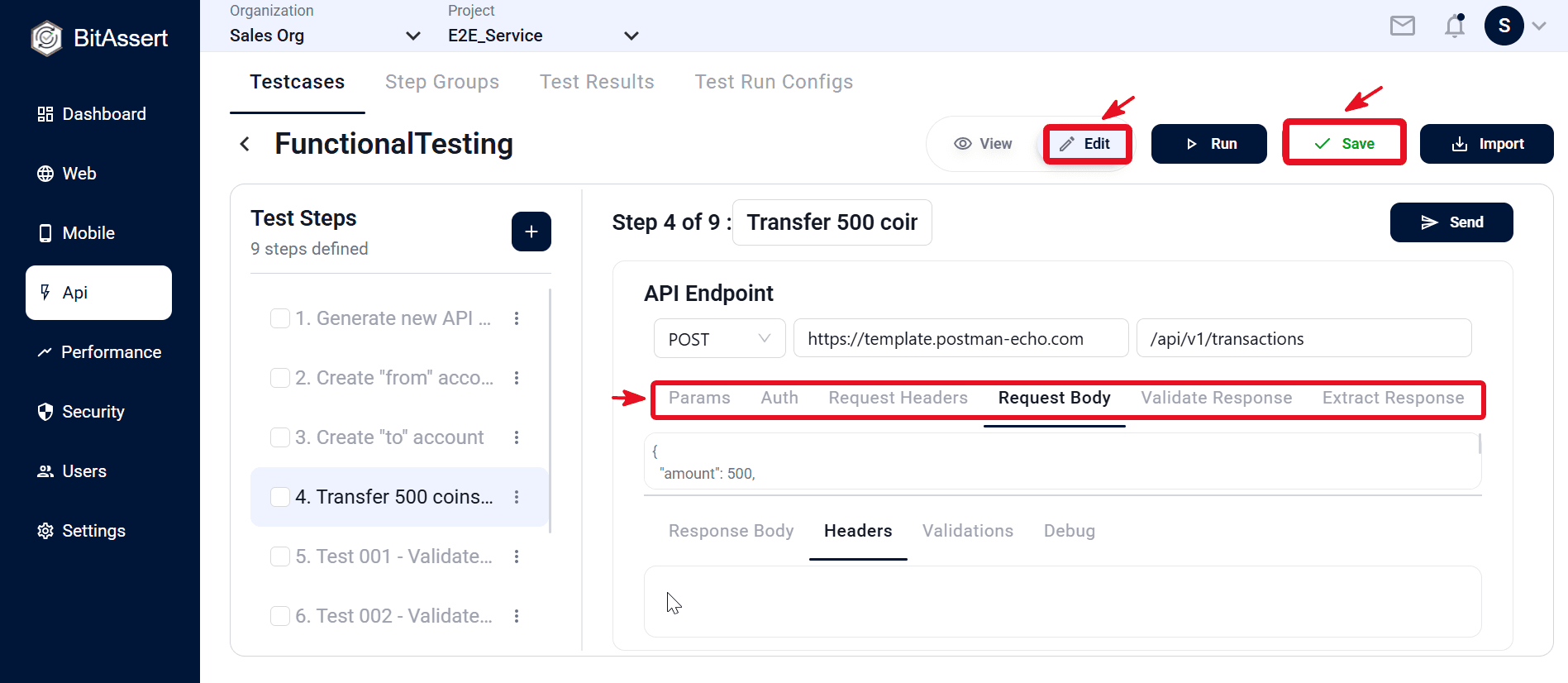
- Review imported steps in Test Steps; update method, URL, and request tabs, then add assertions in Validate Response and extractions in Extract Response as needed.
- Click Save in the top bar to store the testcase.
Practical tips
- Export from Postman as Collection v2.1 JSON before importing.
- After import, rename steps so the flow is easy to follow in Test Steps.
- Check Auth, headers, and URLs on each step — environment values may need updating.
- Use Send on a step to verify the response, then add Validate Response and Extract Response rules.
- Import adds requests only; add assertions manually before running the full testcase.
Expected outcome
Postman collection requests are imported as API steps in the testcase, reviewed and updated as needed, and ready to run with a test run config.