
Documentation
API Testing
Guides for authoring, running and analysing tests across web automation, API and performance — plus setup, collaboration and release notes.
Step Groups
A Step Group is a reusable set of API HTTP steps you can maintain once and reference from multiple API testcases. Each group runs its inner steps in order when the parent testcase executes. For Web step groups, see .
Step group vs regular API step
| Regular API step | Step group step | |
|---|---|---|
| HTTP requests | On the step | Inside the group |
| Reuse | One testcase | Many testcases |
| Edit location | Testcase details | API Step Groups menu or Open Step Group |
| Send in testcase view | Available | Use step group editor to debug requests |
Why use step groups
- Reuse common API flows (auth, setup, teardown) across many testcases.
- Update the group once; referencing testcases use the updated inner steps after load/save.
- Keep testcase step lists shorter and easier to maintain.
Create a step group (standalone)
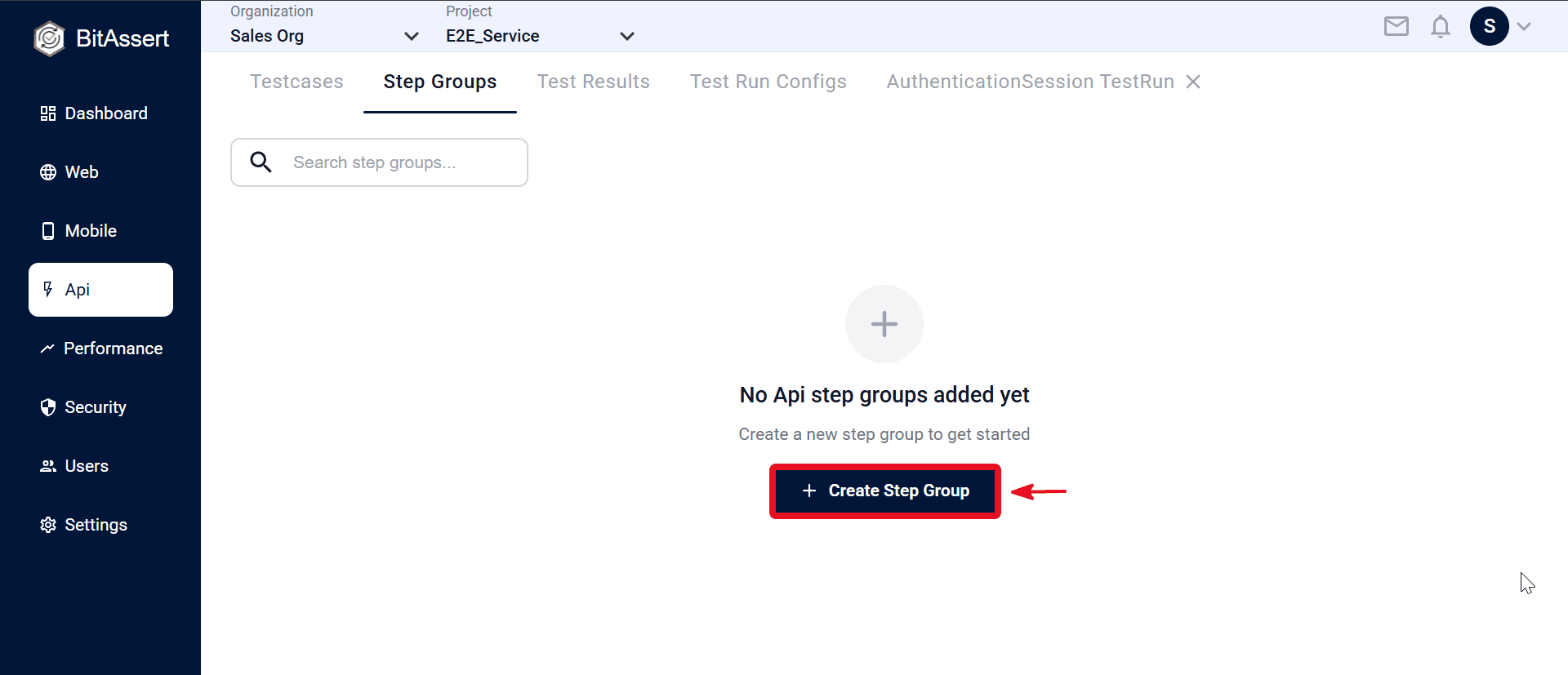
- Go to API > Step Groups and click Create.
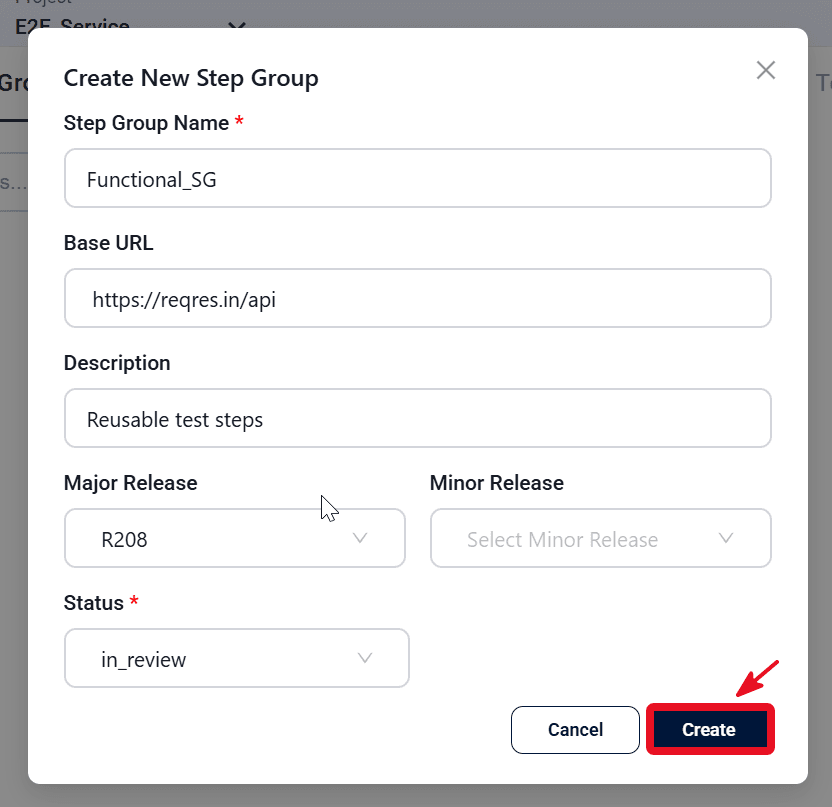
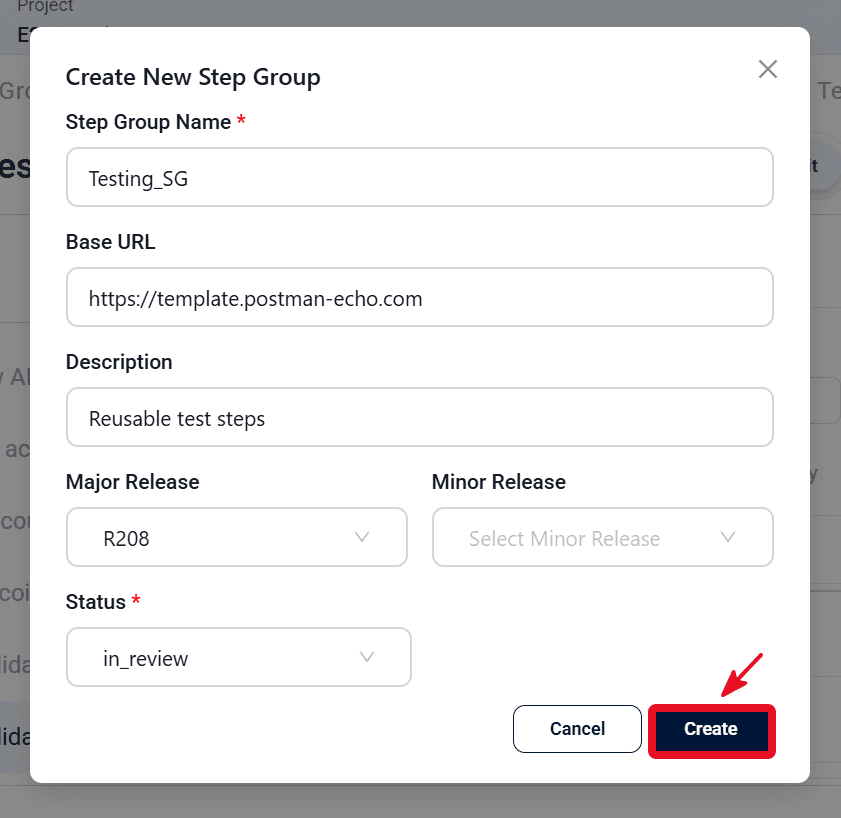
- Enter Name, Description, Base URL, Status, and optional release tags, then click Create.
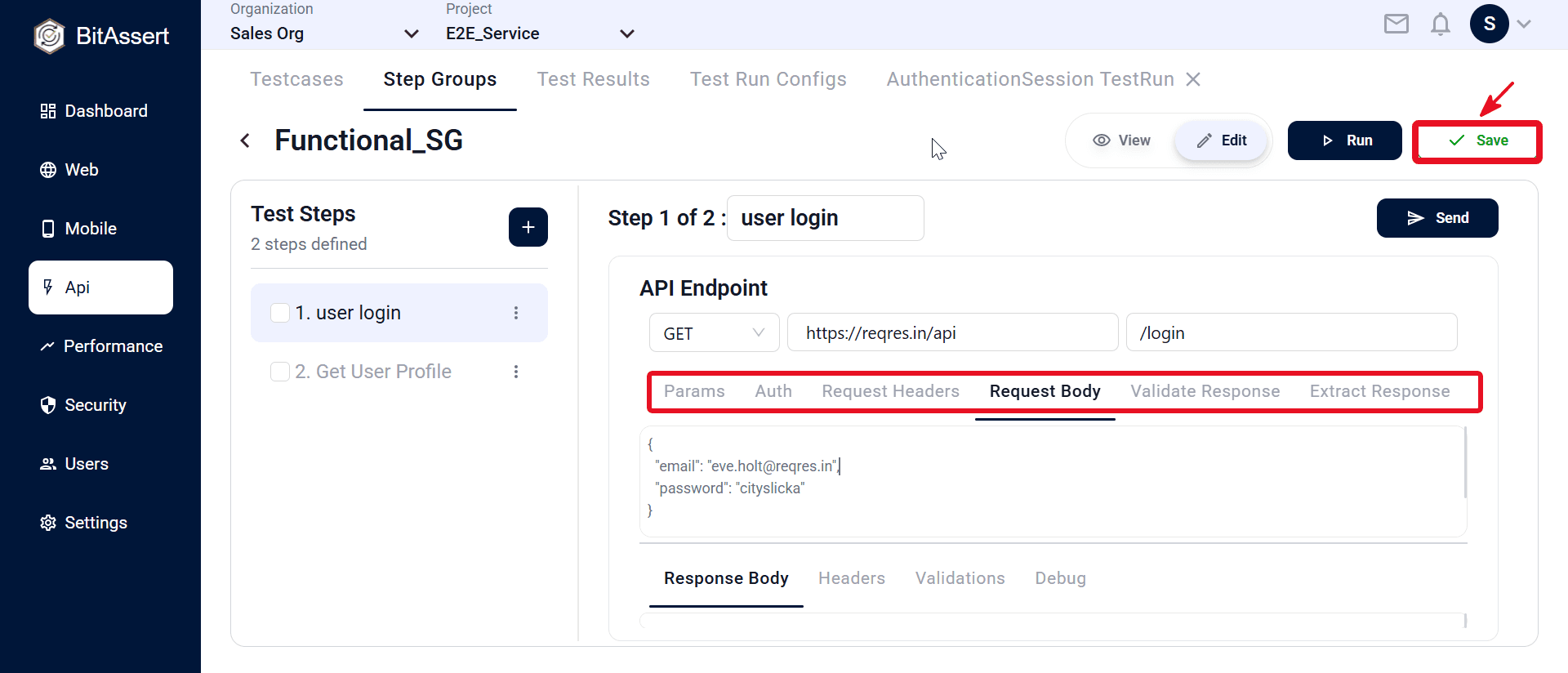
- Open the new step group and add HTTP steps with + Add Step to create a new step.
- Configure each inner step (method, URL, path, Params, Auth, headers, body, Validate Response, Extract Response) — see .
- Click Save.
Create from testcase steps
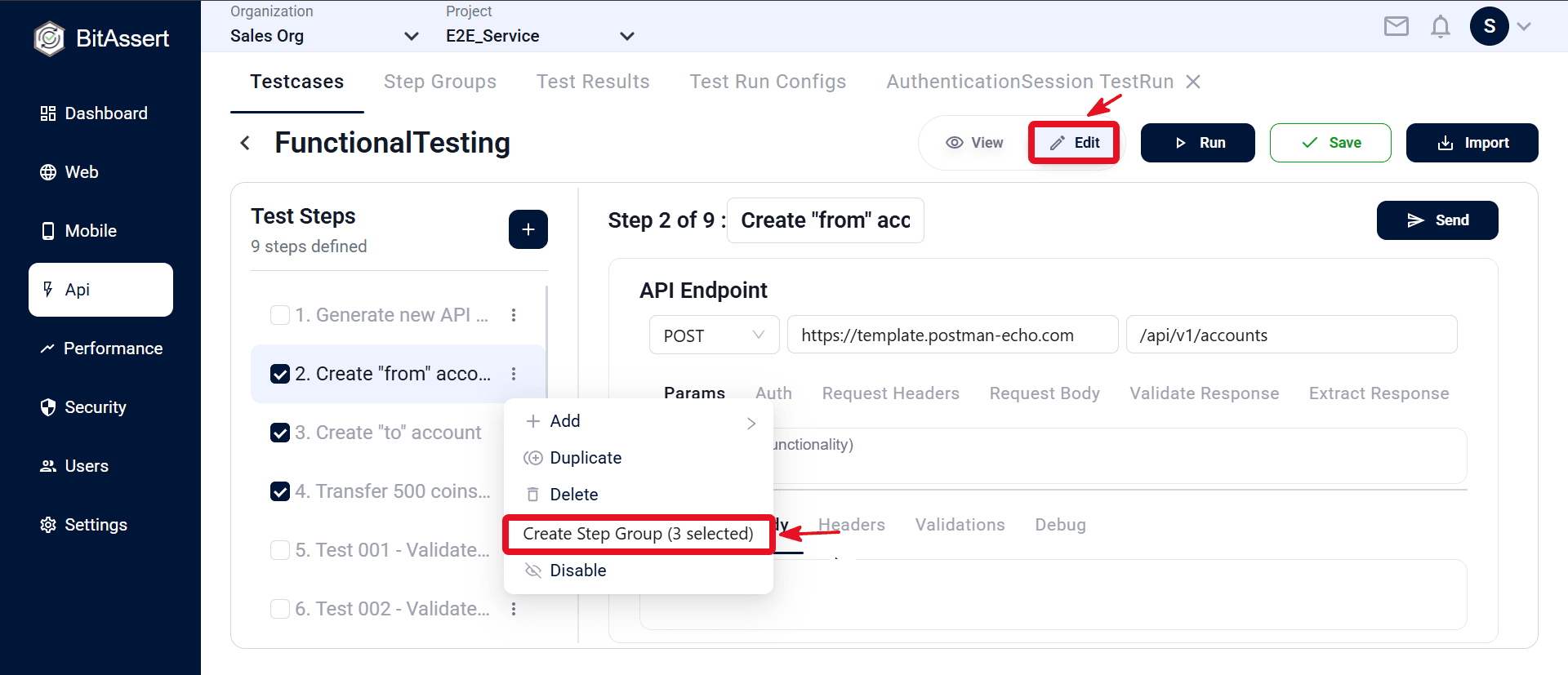
- Open an API testcase in Edit and select one or more normal API steps (not another step group).
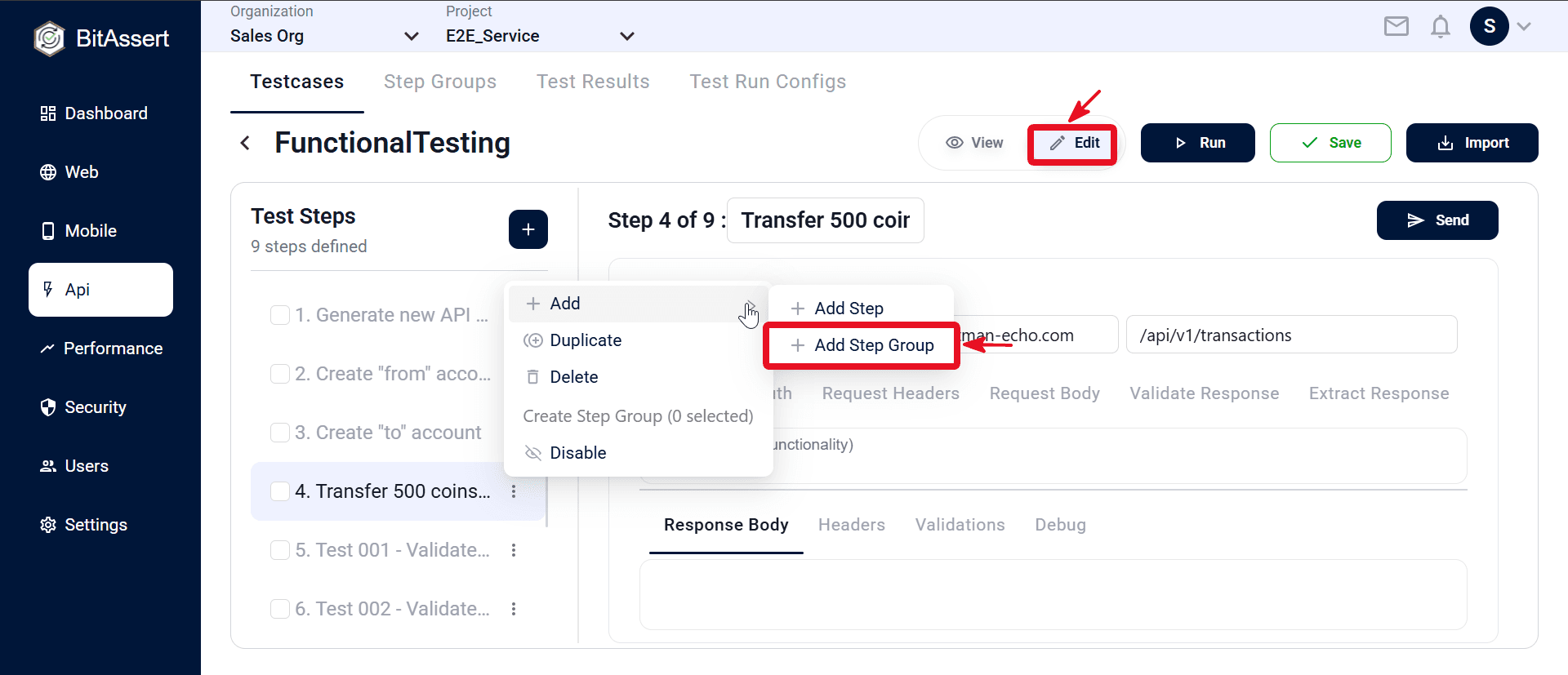
- In the step menu, choose Create Step Group.
- Enter group metadata (name, description, base URL, status, optional release tags) and click Create.
- The selected steps are saved as a new group and replaced by a single (Step Group) step in the testcase. Click Save the testcase.
Note:
Nested step groups are not supported — you cannot place a step group inside another step group.
Use a step group in a testcase
- Open API testcase details → Edit.
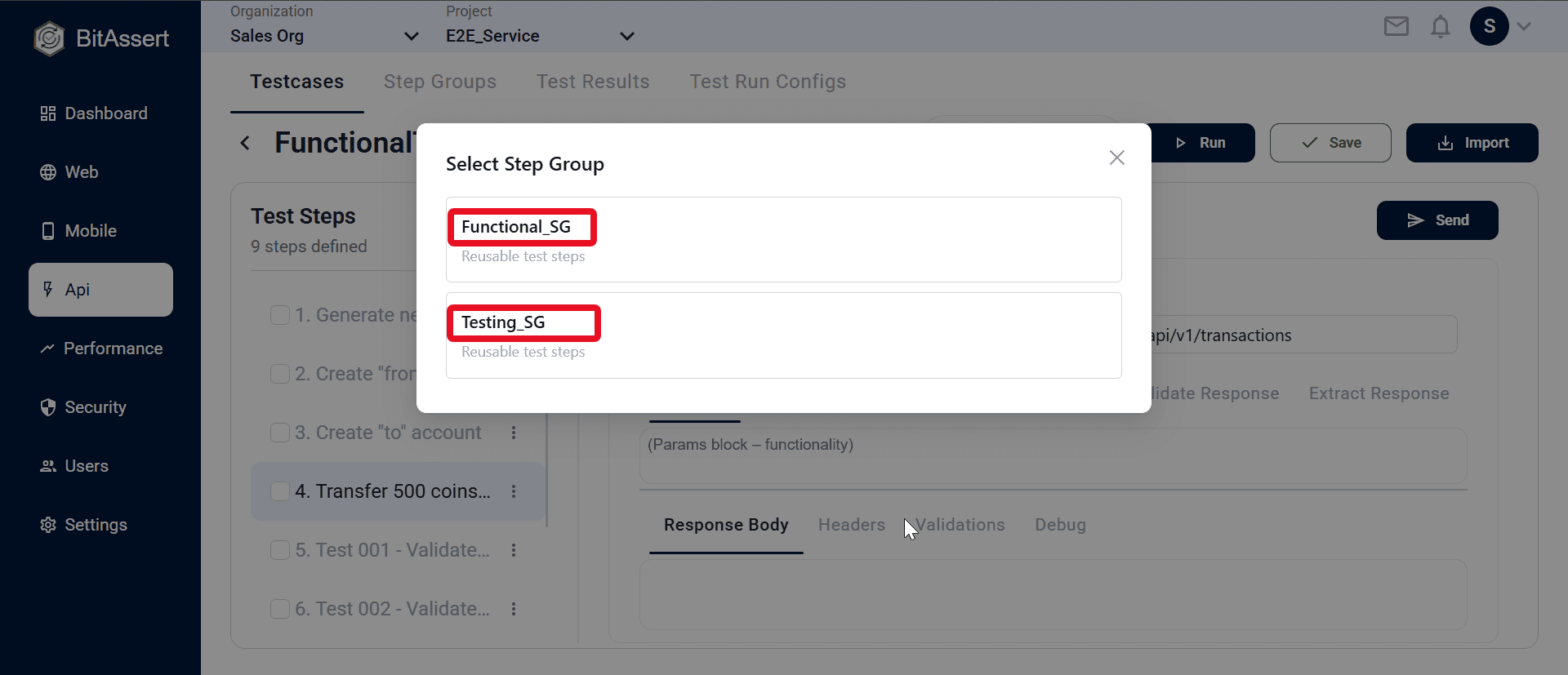
- From a step's menu, choose Add → Add Step Group and pick a group from the project.
- Pick a group in the Select Step Group modal.
- A Step Group row is inserted (expandable in the Test Steps panel). Save the testcase.
Expected outcome
A reusable API Step Group is stored in the project. Testcases reference it as one expandable (Step Group)step, and the group's inner HTTP steps run in order as part of the parent testcase flow.