
Performance Testing
Guides for authoring, running and analysing tests across web automation, API and performance — plus setup, collaboration and release notes.
Test Run Configs
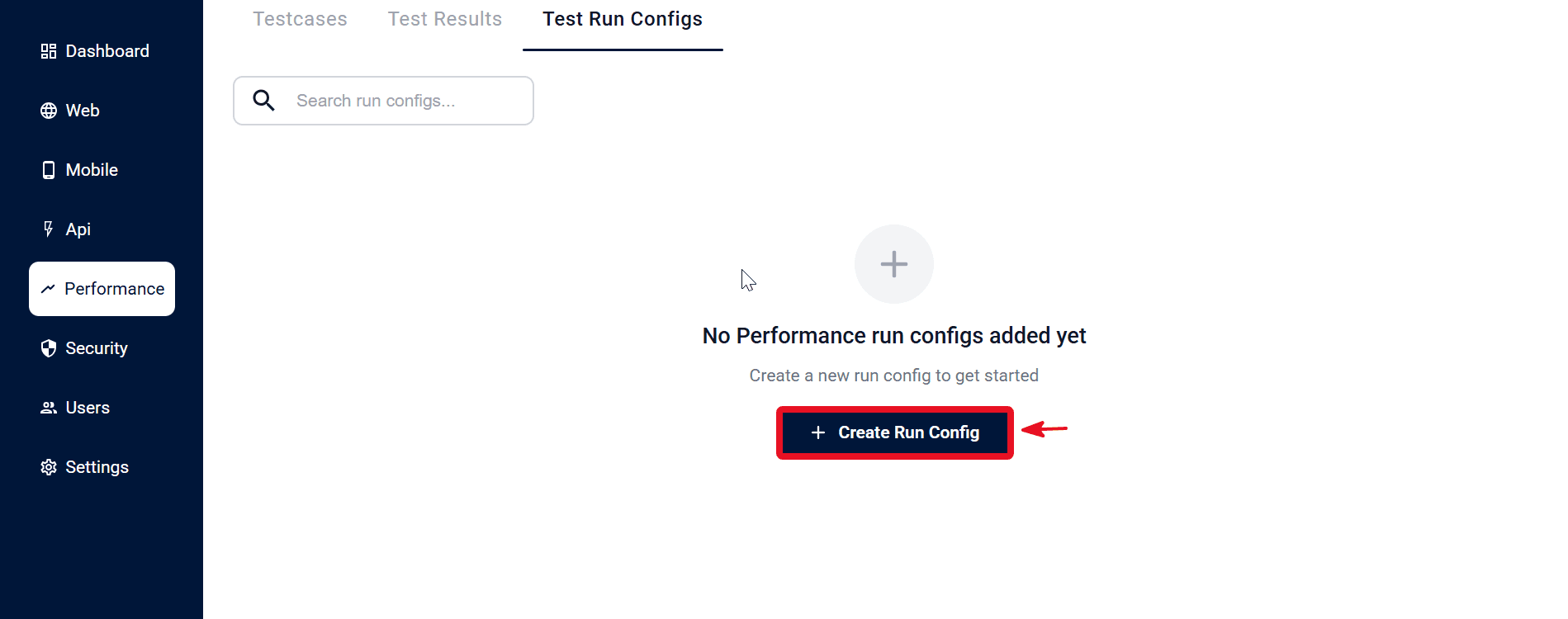
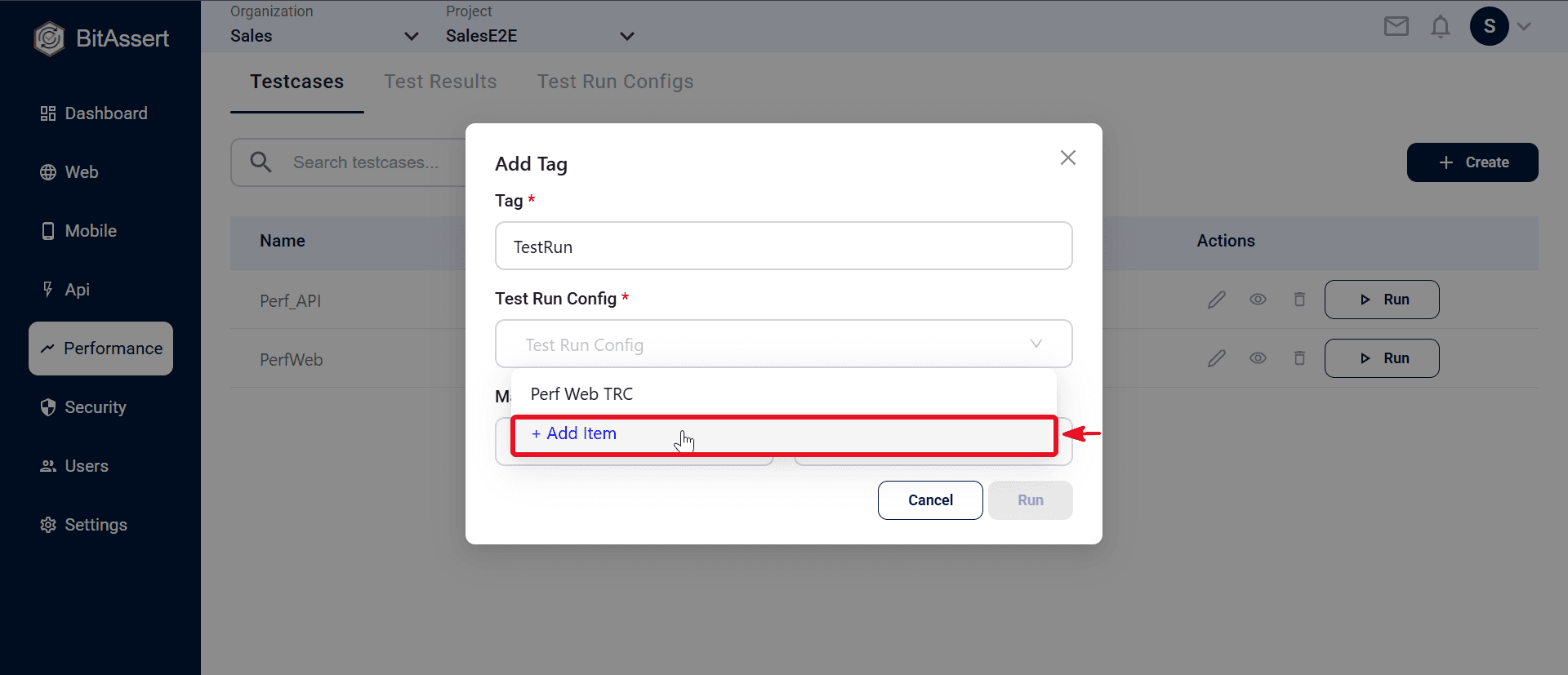
A Test Run Config is a reusable profile that controls how a performance run executes on the cloud — step timing, failure behavior, and browser for Web perf. It is separate from the load model (virtual users, duration, ramp up) on the performance testcase. Manage configs under Performance → Test Run Configs. You can also create one inline when you Run a test (+ Add Item in the run dialog).
When each config is used
| Performance testcase | Config at run time |
|---|---|
| API Load Test | One perf_api_only config |
| Web Automation | One perf_web_only config |
| API + Web | API Test Run Config (perf_api_only) and Web Test Run Config (perf_web_only) — both required |
Test Run Config vs load model
| Load model (on perf testcase) | Test Run Config |
|---|---|
| Virtual users / instances | Step delay |
| Duration or iterations | On step failure |
| Ramp up / down | Web — action delay, browser |
| API source (testcase / JMX) | Device/browser pool matching for Web |
Example — load model says 50 users for 300 seconds; Test Run Config says 2 sec step delay, Chrome, Report and Continue on failure.
Note:
- Performance Test Run Configs control execution behavior on cloud runs — not load size.
- Test Run Configs are used for cloud runs only — not Local Agent.
- API + Web runs need two configs at execute time (see ).
- Only Web automation and API automation configs are listed in their respective Web and API sections; all other configs are listed under Performance only.
Create a Test Run Config
- Go to Performance > Test Run Configs and click Create.
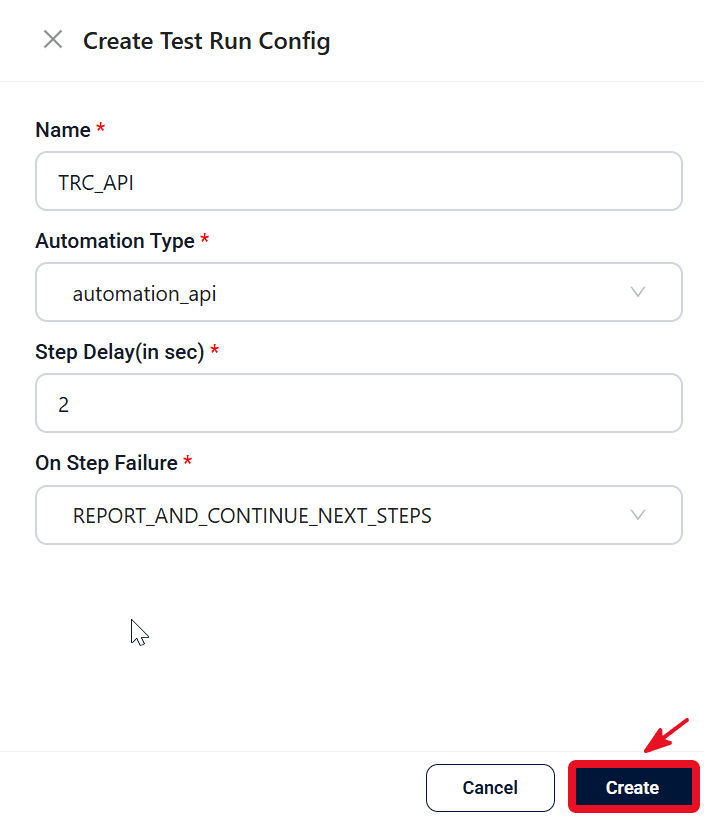
- In the Create Test Run Config modal, set Name, Automation Type (perf_api_only or perf_web_only), Step Delay, and On Step Failure. For Web perf, also set Action Delay and Browser Name.
- Click Create to store the config.
Create from the run dialog
- Open a saved performance testcase and click Run, or click Run on a row in Performance → Testcases.
- In the Test Run Config field, click + Add Item.
- Enter config details and click Create.
- Enter a Tag (required), select the config (or both API and Web configs for API + Web), and optionally choose major/minor release.
- Click Run to queue the run.
How configs are used
Select a saved config when you run a performance testcase (tag + config + optional release). For API + Web, select both API and Web configs. See for the full run workflow.
Expected outcome
Reusable Performance Test Run Configs are saved in the project and available when starting cloud runs. API perf configs set step delay and failure handling; Web perf configs add browser and action delay. API + Web runs use two configs at execute time.