
Documentation
Performance Testing
Guides for authoring, running and analysing tests across web automation, API and performance — plus setup, collaboration and release notes.
Create Testcase
Create a performance testcase to apply load to an existing API or Web functional testcase, or to a JMX script. Set the performance type, common testcase fields, and load settings (virtual users, iterations or duration, ramp up/down). Functional steps are authored under API or Web — this flow defines how hard and how long to run.
Prerequisites
- Correct organization and project selected.
- For this walkthrough (perf_web_only), a Web functional testcase already exists (see ). For API types, see the note below.
Testcase creation workflow
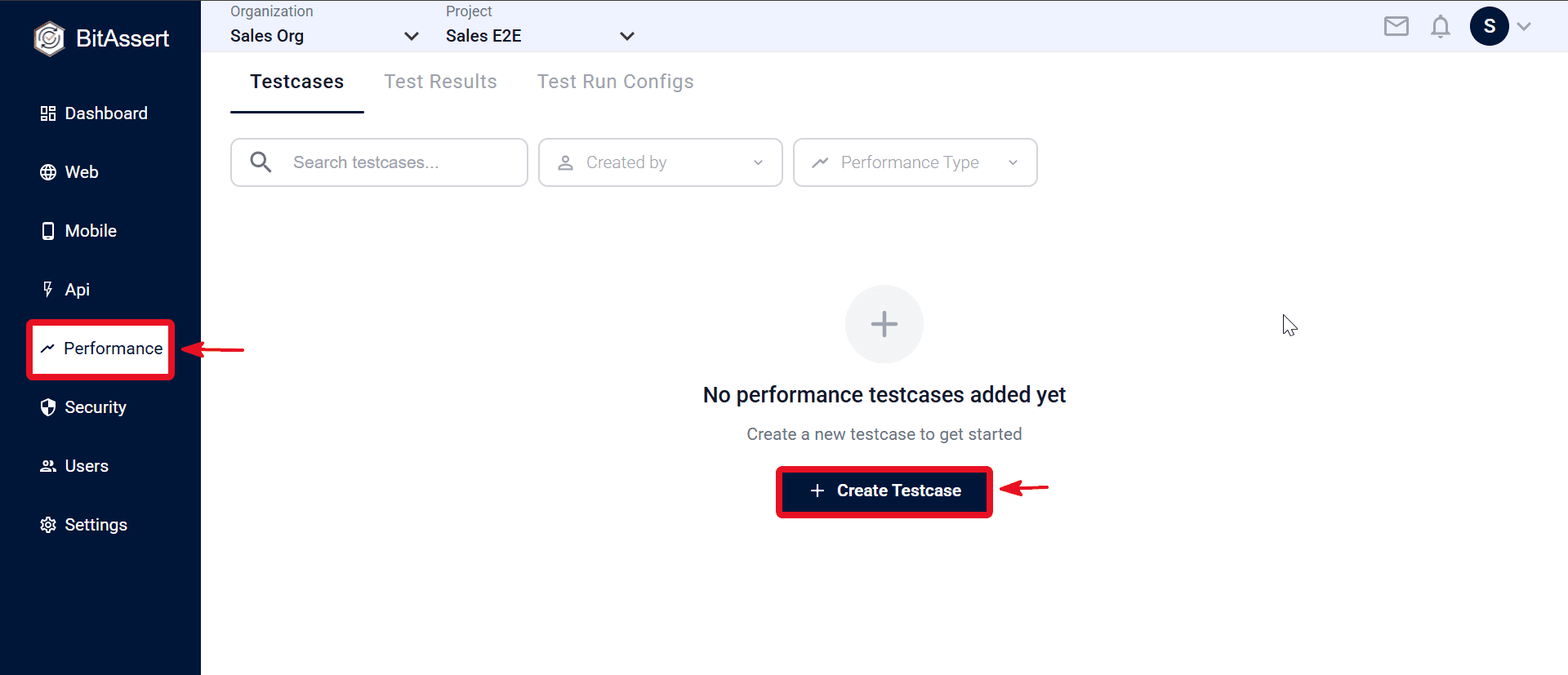
- Open Performance > Testcases.
- Click + Create Testcase on the Testcases page.
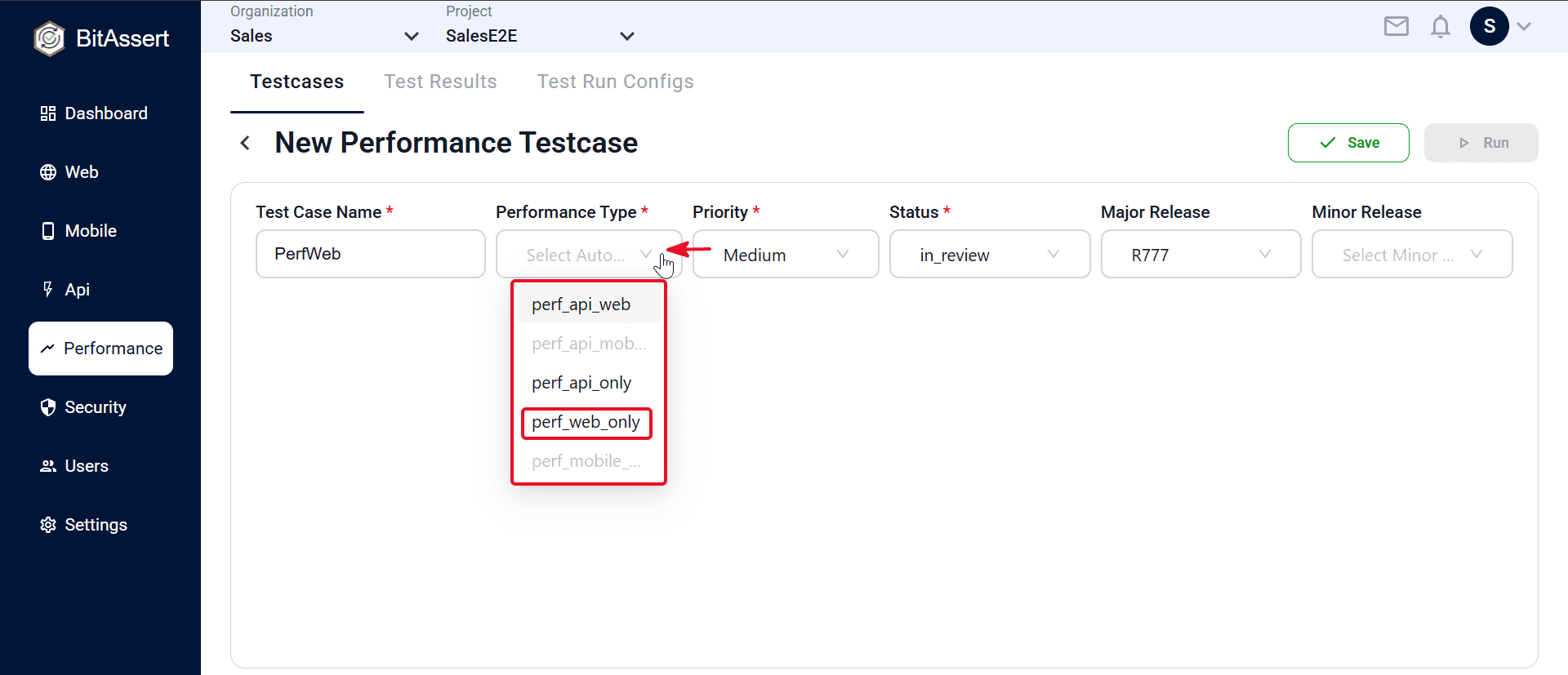
- Select Performance Type — choose Web Automation (perf_web_only) to load-test an existing Web functional testcase on multiple virtual instances.
- Enter common fields — Test Case Name, priority, status, and optional major/minor release.
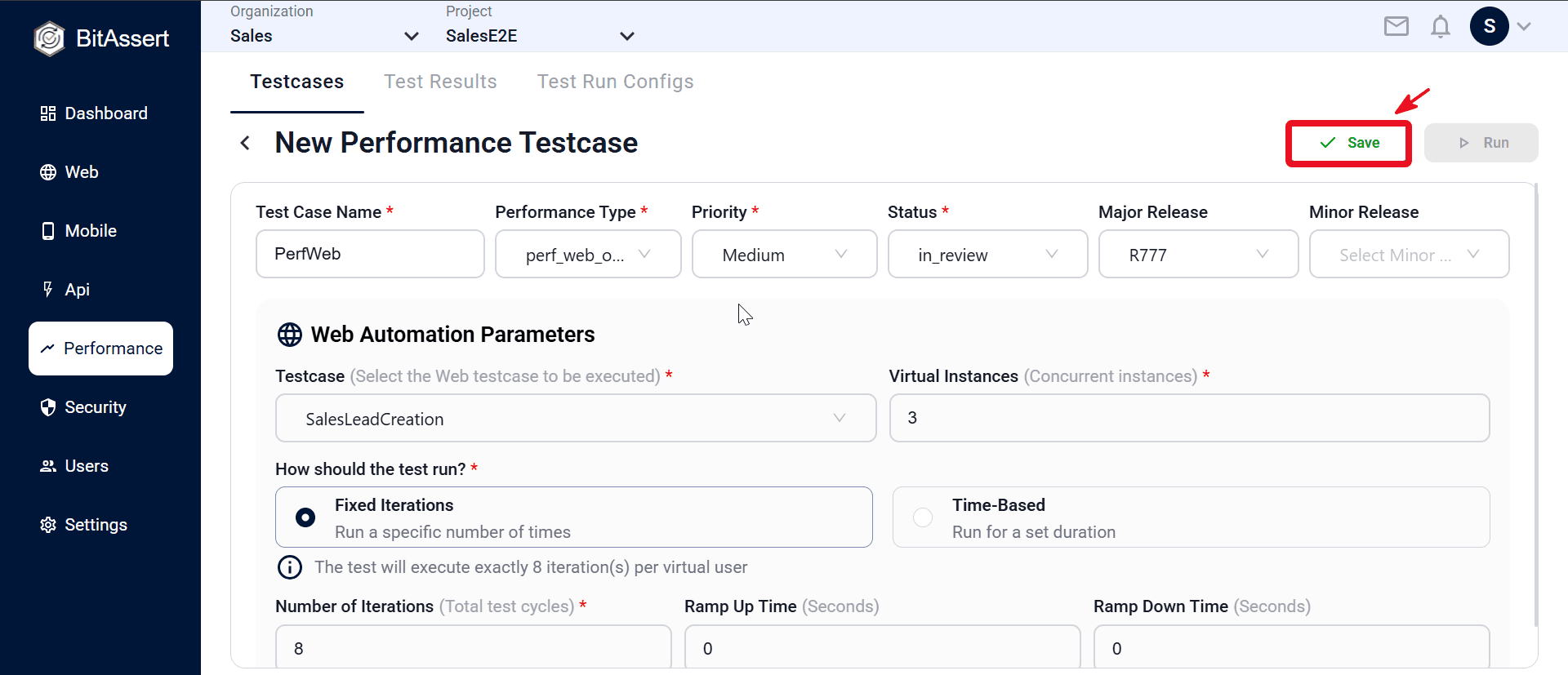
- In Web Automation Parameters, select an existing Web functional testcase from the Testcase dropdown (testcases created under Web → Testcases).
- In the same panel, configure load settings — Virtual Instances, choose fixed iterations or time-based duration under How should the test run?, set iteration count or duration, and Ramp Up/Down Time.
- Click Save.
- Confirm the performance testcase appears in the Testcases table, then open it by name to review or edit load settings.
Note:
- API Load Test (perf_api_only): in the API panel, pick an existing API functional testcase or upload a JMX file (two options — you do not need both). See .
- API + Web (perf_api_web): configure both the API panel (API testcase or JMX) and the Web panel (existing Web testcase).
- When using JMX, some load fields may be read from the file and disabled in the UI.
- Performance runs are cloud only — execution uses Test Run Configs and a required run tag (see Execute Tests).
Expected outcome
A performance testcase is saved in the project, linked to its functional source or JMX, and ready for Test Run Config assignment and cloud execution.
Common issues
- No functional testcase in picker: create the API or Web testcase first, then return to the performance testcase.
- Save blocked: check required fields, Performance Type, and linked source.
- API + Web run needs two configs: select both API and Web Test Run Configs at execute time.