
Performance Testing
Guides for authoring, running and analysing tests across web automation, API and performance — plus setup, collaboration and release notes.
Baseline Handling
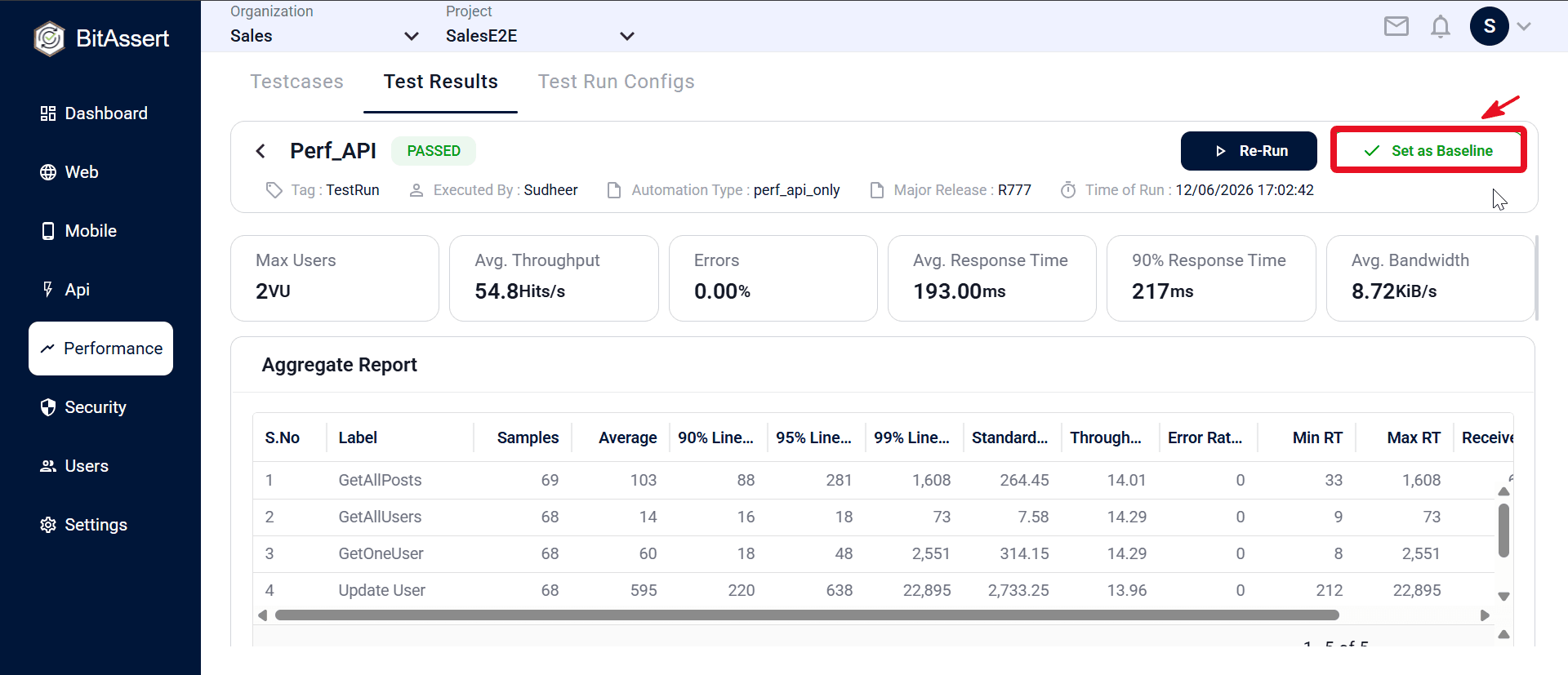
A baseline means the reference performance run you compare against — the passed result that defines acceptable performance for a testcase under a major release. Baseline Handling is how you mark which completed run holds that role: its report (throughput, response times, errors, and aggregate metrics) becomes the golden standard for that testcase in that release.
When you can set it
Set as Baseline appears only when all of these are true:
| Requirement | Required |
|---|---|
| Run status is COMPLETED | Yes |
| Run result is PASSED | Yes |
| Report has finished loading (not while data is still fetching) | Yes |
You cannot set baseline on failed, aborted, queued, in-progress, or stopping runs.
Note:
- Baseline is available only for Performance test results. API, Web, and Mobile functional test results do not support baseline.
- There is no baseline badge on the Test Results list today; you see baseline status only on the detail page button label.
Set or remove baseline — workflow
- Go to Performance > Test Results.
- Open a completed run’s detail page (click the row).
- Click Set as Baseline in the header.
- If the run is already the baseline, the button shows Baseline. Click it again to remove baseline status (with confirmation).
How it is scoped
- Baseline is tied to the run’s major release. When you set or remove baseline, the platform uses that run’s major release as context.
- The run must belong to the current project and match the major release on the record.
- You need write access to project content to set or remove a baseline (read-only users cannot).
- Assign the correct major release to the run (via Edit on the list) before setting baseline, since baseline is validated against that release.
Common issues
- Set as Baseline missing: run must be COMPLETED and PASSED, with the report fully loaded.
- Cannot set on failed run: only passed completed runs can be baselines.
- Wrong release context: edit major release on the run row before setting baseline.
- Read-only access: baseline set/remove requires edit-enabled project access.
Expected outcome
A passed performance run is marked as the reference baseline for its testcase within a major release, visible on the detail page as Set as Baseline or Baseline. The team can identify which run represents acceptable performance for that release cycle.