
Performance Testing
Guides for authoring, running and analysing tests across web automation, API and performance — plus setup, collaboration and release notes.
Run Types and Load Model
Run types and the load model define how much load a performance testcase applies and how long it runs. Configure them on the performance testcase under Performance → Testcases — in the API, Web, or combined load panels. Load model is separate from Test Run Config (browser, delays, on-failure behavior).
Load settings
| Setting | API | Web |
|---|---|---|
| Concurrency | Virtual Users (parallel API threads) | Virtual Instances (one browser per device) |
| Fixed Iterations | Each user/instance runs the flow N times | |
| Time-Based | Each user/instance runs for N seconds | |
| Ramp Up Time | Seconds to gradually increase from zero to full concurrency | |
| Ramp Down Time | Seconds to gradually decrease load at the end of the run (0 = no ramp-down) | |
| API + Web | Configure API and Web panels separately | |
Under How should the test run?pick Fixed Iterations or Time-Based — only one mode is active. Virtual Users cannot exceed your plan's Concurrent API Users limit (see ). For API source rules (testcase vs JMX), see .
Note:
- JMX API tests: load fields are read-only — values come from the uploaded JMX (and optional CSV).
- Platform-built API/Web: you edit all load fields; ramp may not behave like JMX gradual ramp on the current execution path.
Configure load — workflow
- Open Performance > Testcases and create or edit an API load performance testcase.
- In API Load Test Parameters, choose Select from existing API testcases and pick the functional testcase (for example Sample_APIs).
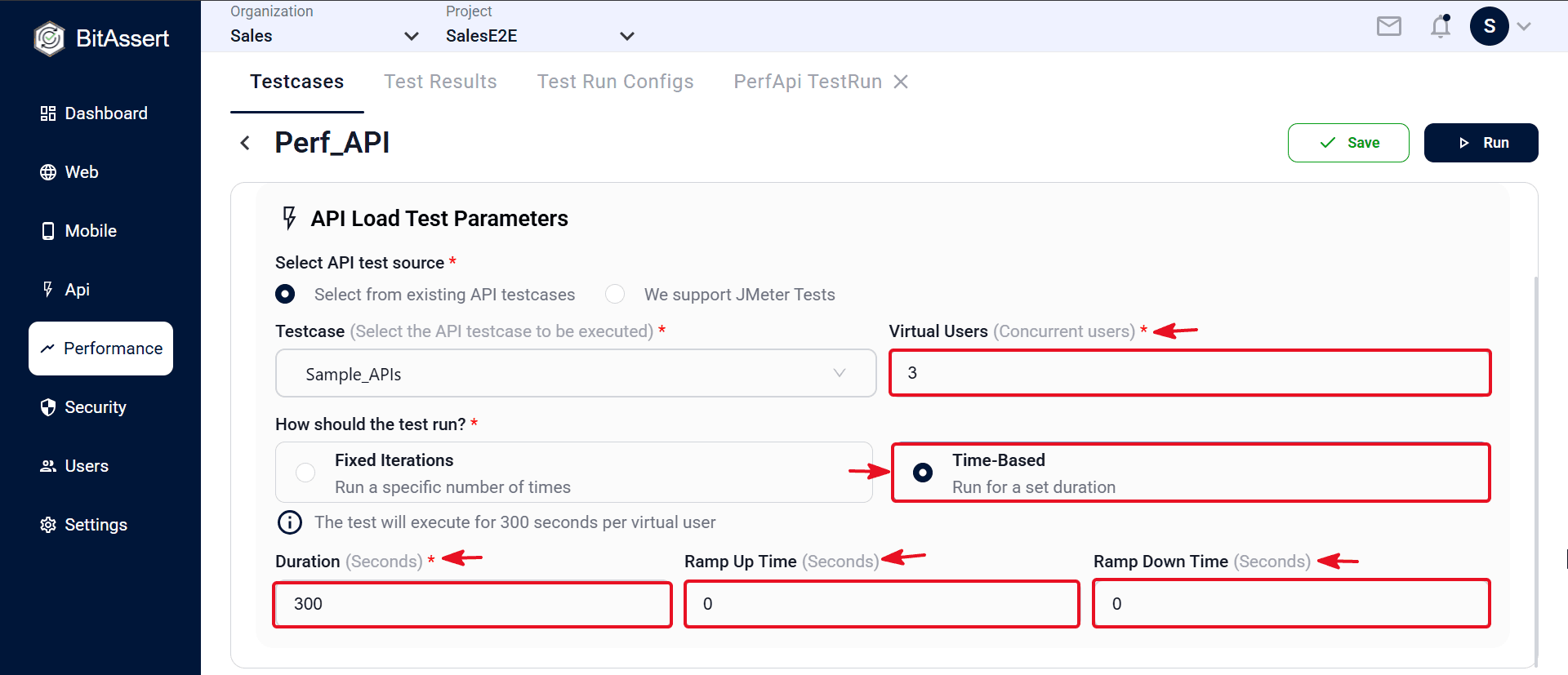
- Set Virtual Users (Concurrent users) (for example 3).
- Stay within your plan's Concurrent API Users limit — Standard: 100, Enterprise: 500. See .
Time-Based
- Under How should the test run?, choose Time-Based — Run for a set duration.
- Enter Duration (Seconds) and Ramp Up/Down Time. Confirm the info banner (for example: the test will execute for 300 seconds per virtual user).
Fixed Iterations (alternate)
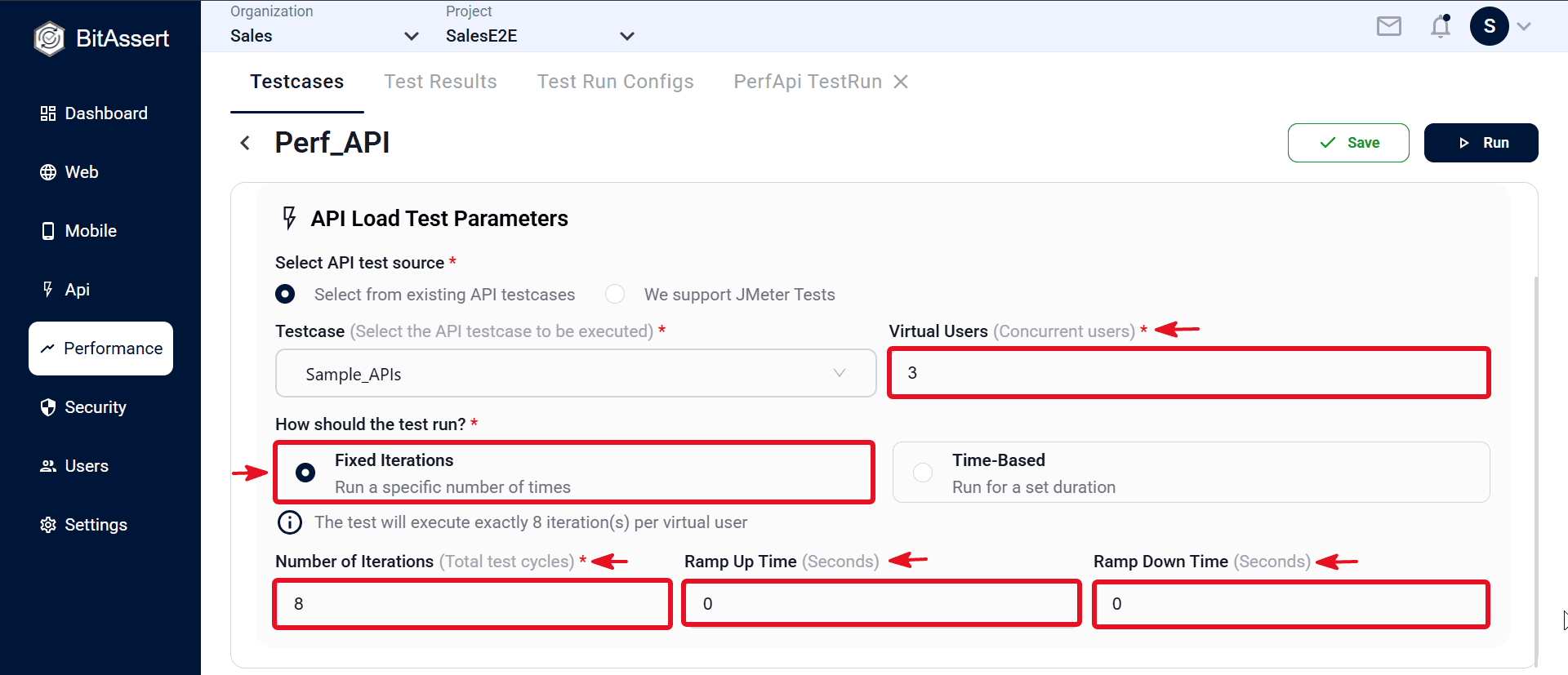
- Choose Fixed Iterations — Run a specific number of times.
- Enter Number of Iterations and Ramp Up/Down Time. Confirm the info banner (for example: the test will execute exactly 8 iteration(s) per virtual user).
- Click Save. The load model is stored on the testcase and used on every cloud run.
For Web load, use Virtual Instances in Web Automation Parameters — same run types and ramp fields.
Expected outcome
The performance testcase has a defined load model — concurrency, run type, duration or iterations, and ramp — ready for cloud execution. Platform-built tests use values you set; JMX tests use values from the uploaded plan.