
Troubleshooting
Guides for authoring, running and analysing tests across web automation, API and performance — plus setup, collaboration and release notes.
Performance & load
Performance issues usually involve the data source (API testcase or JMX), the load model, capacity limits, or result/baseline states.
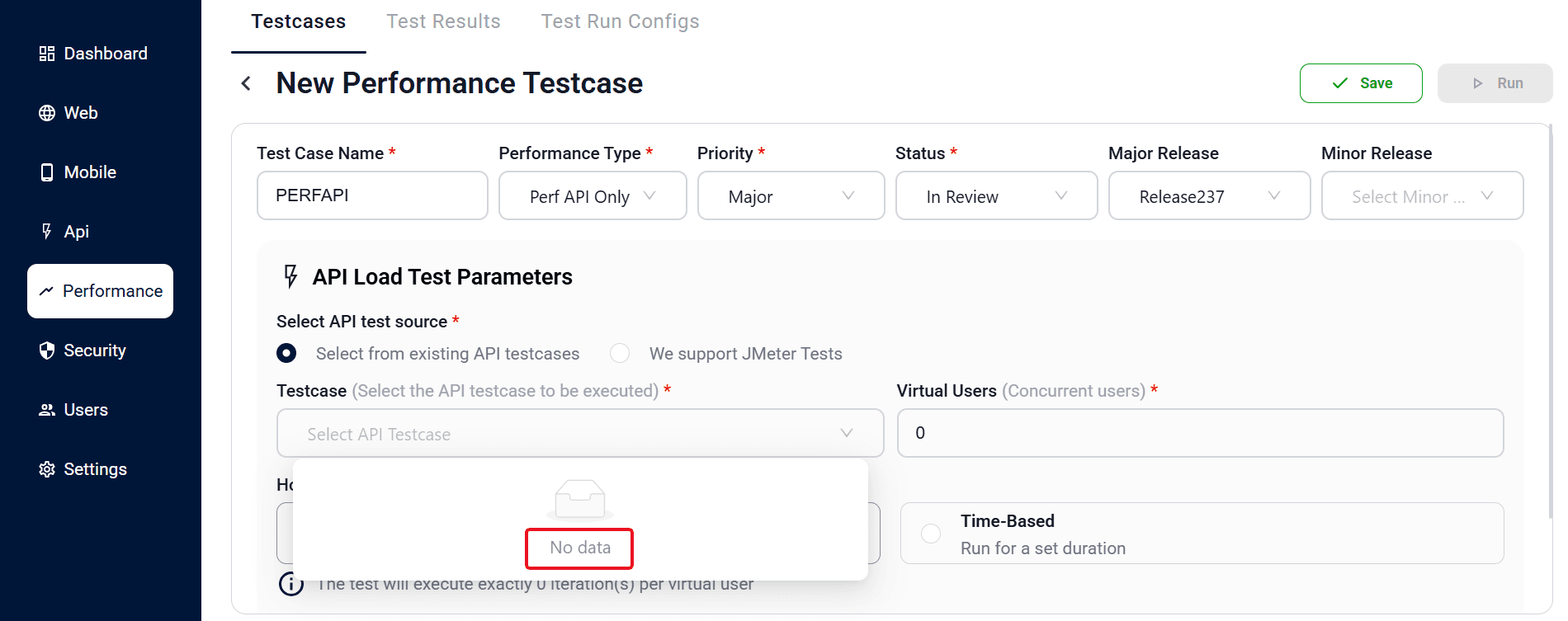
PerformanceNo functional testcase in the picker
The performance testcase can't find a source to load. Create and save the API or Web testcase first, then return to the performance testcase and select it.
PerformanceSave is blocked
The performance testcase won't save. Check that all required fields, the Performance Type, and the linked source are set correctly.
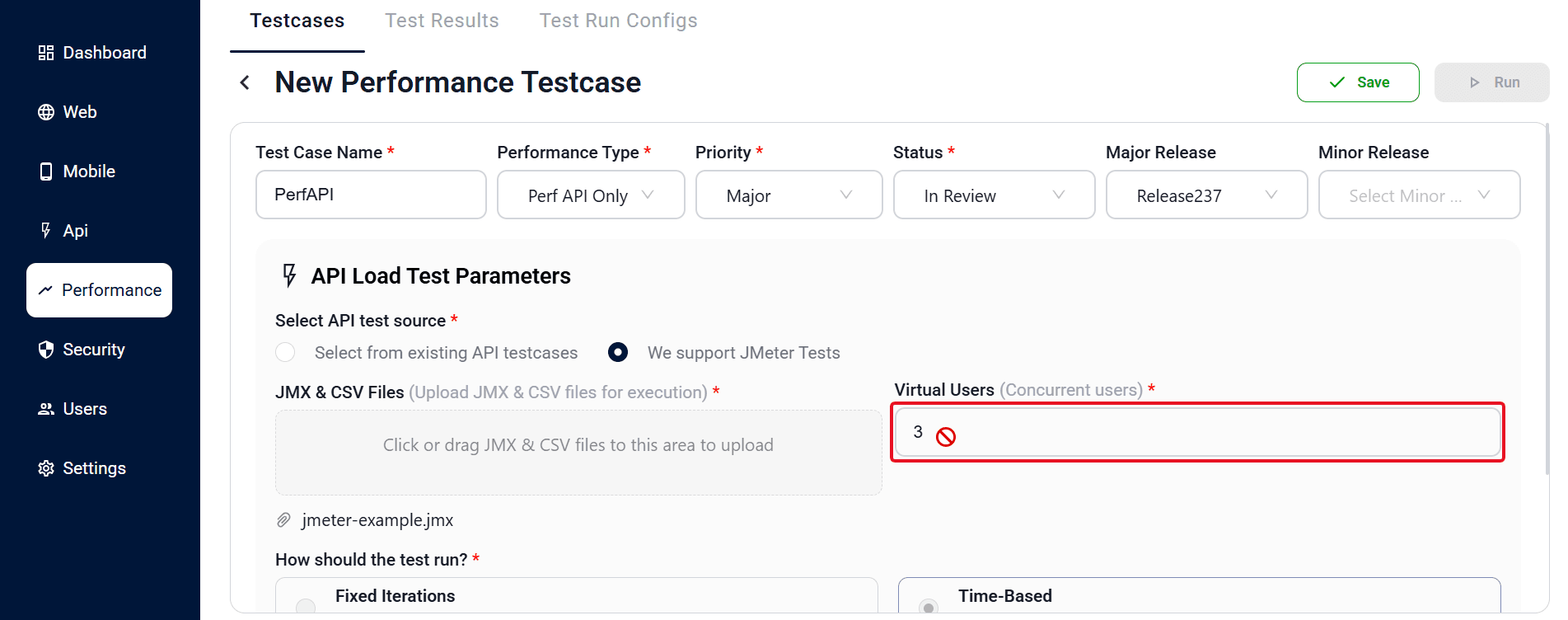
PerformanceLoad fields are disabled
Virtual users and ramp fields are greyed out. This happens when JMX is selected — those values come from the JMX plan itself rather than the form.
PerformanceMy iteration count or duration seems to be ignored
The Run Type decides which value applies: "Fixed Iterations" uses the number of iterations and ignores duration, while "Time-Based" uses the duration and ignores iterations. Set the run type that matches what you intend before saving/running.
PerformanceCannot remove JMX
There is no option to clear the uploaded JMX. Upload a replacement JMX file while editing — you cannot remove it without providing a new one.
PerformanceSave blocked: "JMX file is required when updating the file"
If the API load source is set to JMX and you've started replacing the file, you must attach a JMX file to save. Either upload the new JMX, or keep the previously saved file without swapping it.
PerformanceCan't find where to download an uploaded JMX/CSV
To download a previously uploaded JMX or CSV file, open the saved performance testcase — the saved file in the JMX & CSV Files list shows a download icon. The testcase list page and the create screen don't offer a download.
PerformanceAPI + Web run won't start
A combined run does not launch. At execute time, select both an API and a Web Test Run Config so the run has everything it needs.
PerformanceMetrics or charts not showing
No live metrics appear. Metrics and charts are shown only for IN_PROGRESS, COMPLETED, ABORTED, or STOPPING runs — not while the run is QUEUED.
PerformanceSet as Baseline missing or blocked
You can't mark a run as the baseline. Only COMPLETED and PASSED runs with a loaded report can be set, and you need write access to do so.
PerformanceHigh error rate under load (not a tool problem)
A spike in failed samples usually reflects the target system hitting its limit — connection pool exhaustion, rate limiting, or timeouts — rather than a BitAssert issue. Correlate the error onset with the active Virtual Users, reduce the load, and confirm the target's capacity.
PerformanceJMX run behaves differently from the form-based run
When a JMX plan is uploaded, the load model, thread groups, and timers come from the JMX file — not the form. If results look unexpected, inspect the JMX plan itself; the platform executes exactly what the plan defines.
See , , and .
Still stuck?
Run the , check the , or contact us at bitassert.com/contact.